
Support: Discord, email, report a bug in Grok
Your plan
We haven't checked whether Support: Discord, email, report a bug is in Grok Free.
We haven't checked whether Support: Discord, email, report a bug is in Grok Plus.
We haven't checked whether Support: Discord, email, report a bug is in Grok Premium.
We haven't checked whether Support: Discord, email, report a bug is in Grok Super.
We haven't checked whether Support: Discord, email, report a bug is in Grok Ultra.
We haven't checked whether Support: Discord, email, report a bug is in Grok Teams.
We haven't checked whether Support: Discord, email, report a bug is in Grok Enterprise.
Tell us your plan to see the answer for it.
In each plan
We haven't checked which plans include this yet.
Step by step
Open the account menu, then Help.
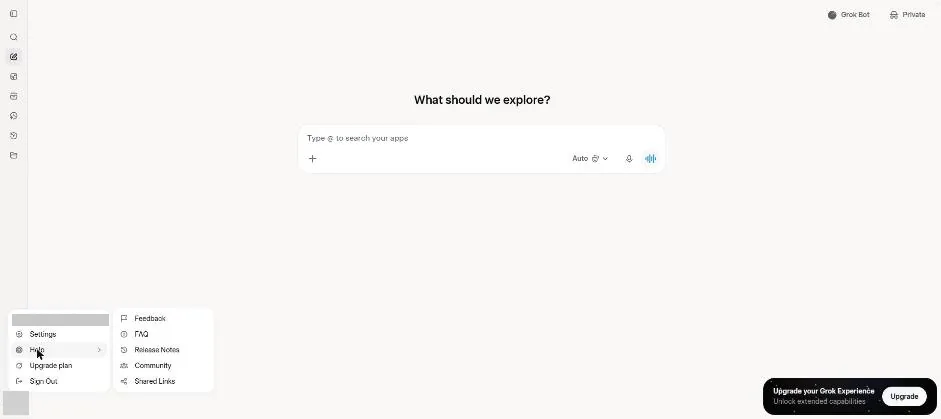
You see Feedback, FAQ and other Help links.
Click Feedback.
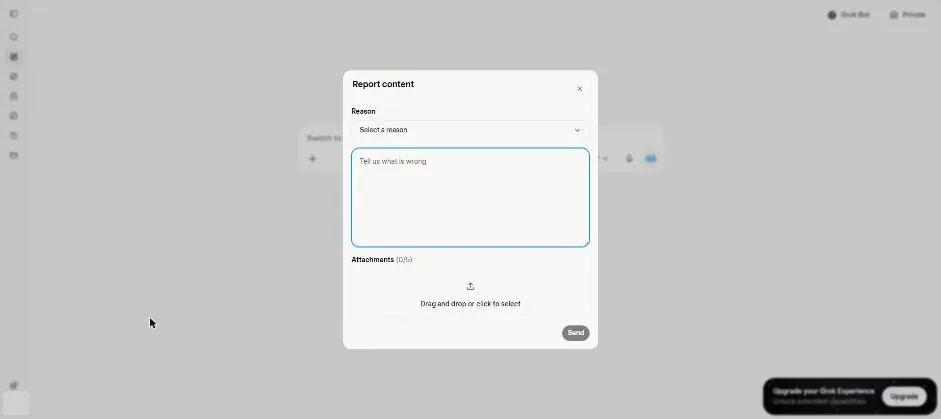
You see the Report content form with a reason list, text box and attachments area.
Open FAQ, then Getting Help.
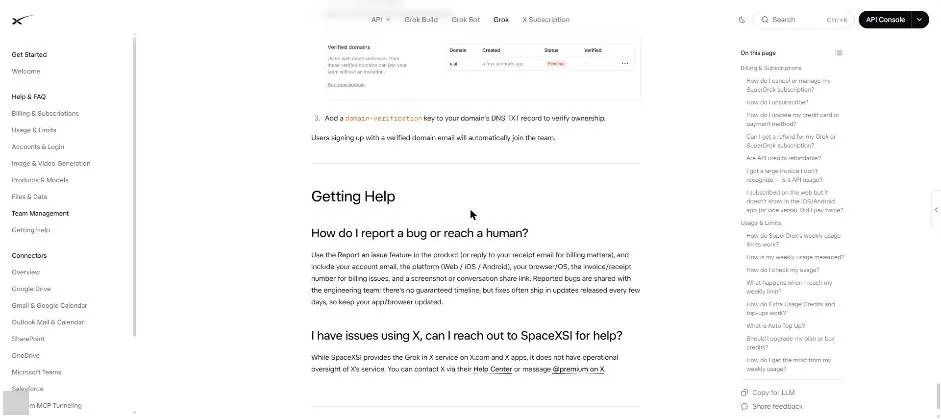
You see the help instructions for reporting a bug or reaching support.
Click a picture to see it full size.