
Delete chats and account in Grok
Which Grok plans have Delete chats and account?
Plus, Premium, Super and Ultra: Yes. Free, Teams and Enterprise: Not checked yet*.
Your plan
We haven't checked whether Delete chats and account is in Grok Free.
✓ Answers your question
Yes. Grok Plus has Delete chats and account.
✓ Answers your question
Yes. Grok Premium has Delete chats and account.
✓ Answers your question
Yes. Grok Super has Delete chats and account.
✓ Answers your question
Yes. Grok Ultra has Delete chats and account.
We haven't checked whether Delete chats and account is in Grok Teams.
We haven't checked whether Delete chats and account is in Grok Enterprise.
Tell us your plan to see the answer for it.
In each plan
Source for the checked plans: Consumer FAQs, checked on 20 Oct 2026
Where to find it
Open Settings, then Data Controls, and scroll down.
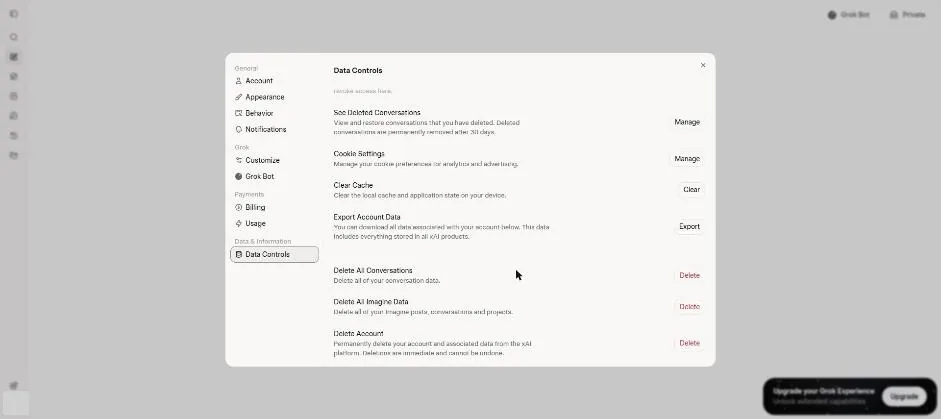
Click a picture to see it full size.