
Grok tab on X in Grok
Your plan
We haven't checked whether Grok tab on X is in Grok Free.
We haven't checked whether Grok tab on X is in Grok Plus.
We haven't checked whether Grok tab on X is in Grok Premium.
We haven't checked whether Grok tab on X is in Grok Super.
We haven't checked whether Grok tab on X is in Grok Ultra.
We haven't checked whether Grok tab on X is in Grok Teams.
We haven't checked whether Grok tab on X is in Grok Enterprise.
Tell us your plan to see the answer for it.
In each plan
We haven't checked which plans include this yet.
Step by step
Open the Grok page on X.
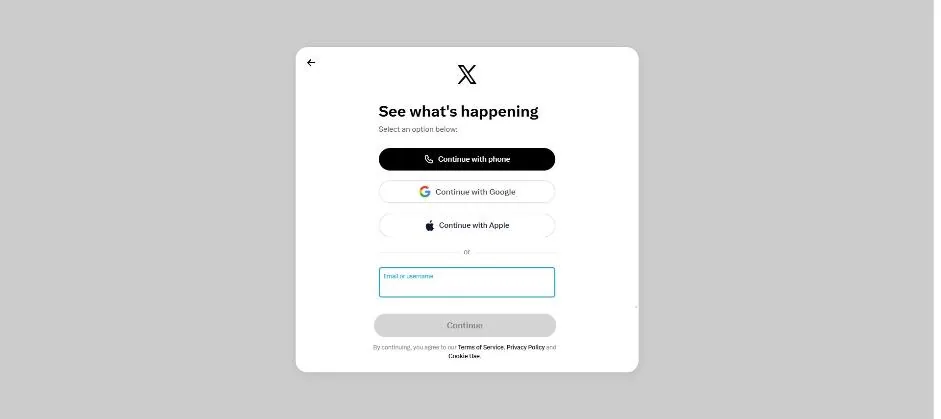
You see an X sign-in box.
Sign in to X and open Grok from the left menu.
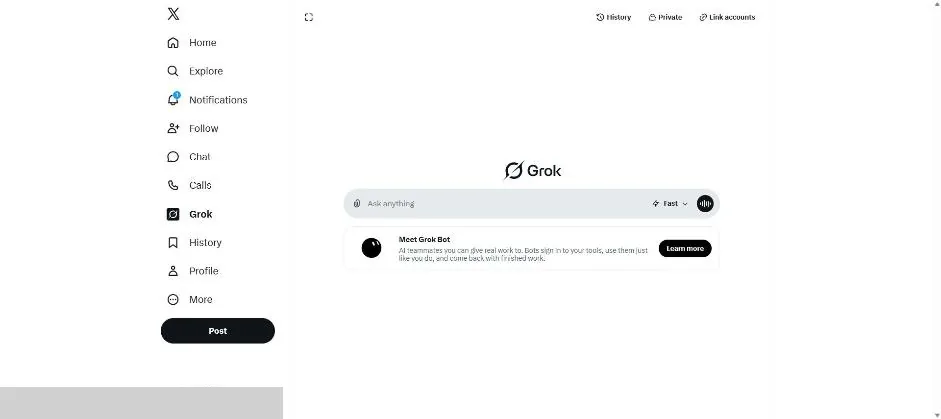
You see Grok inside X with a message box, mode control and Meet Grok Bot banner.
Click a picture to see it full size.