
File uploads in Grok
Which Grok plans have File uploads?
Plus, Premium, Super, Ultra and Enterprise: Yes. Free and Teams: Not checked yet*.
Your plan
We haven't checked whether File uploads is in Grok Free.
Yes. Grok Plus has File uploads.
Yes. Grok Premium has File uploads.
Yes. Grok Super has File uploads.
Yes. Grok Ultra has File uploads.
We haven't checked whether File uploads is in Grok Teams.
Yes. Grok Enterprise has File uploads.
Tell us your plan to see the answer for it.
In each plan
For you
| Free | Not checked yet* |
|---|---|
| Plus | YesUp to 150 MB per file (most types). |
| Premium | YesUp to 150 MB per file (most types). |
| Super | YesUp to 150 MB per file (most types). |
| Ultra | YesUp to 150 MB per file (most types). |
For teams, companies and schools
| Teams | Not checked yet* |
|---|---|
| Enterprise | YesUp to 150 MB per file (most types). |
Source for the checked plans: FAQ - Grok Website / Apps, checked on 20 Oct 2026
Step by step
Click the plus button next to the message box.
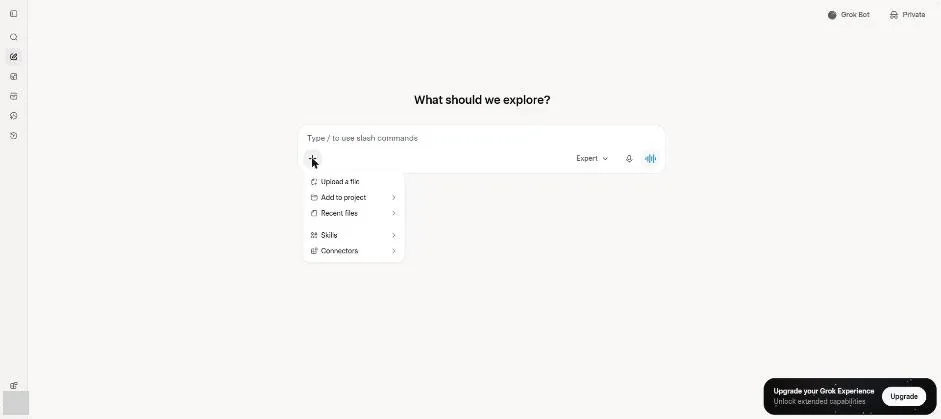
You see Upload a file in the plus menu.
Attach the test invoice PDF.
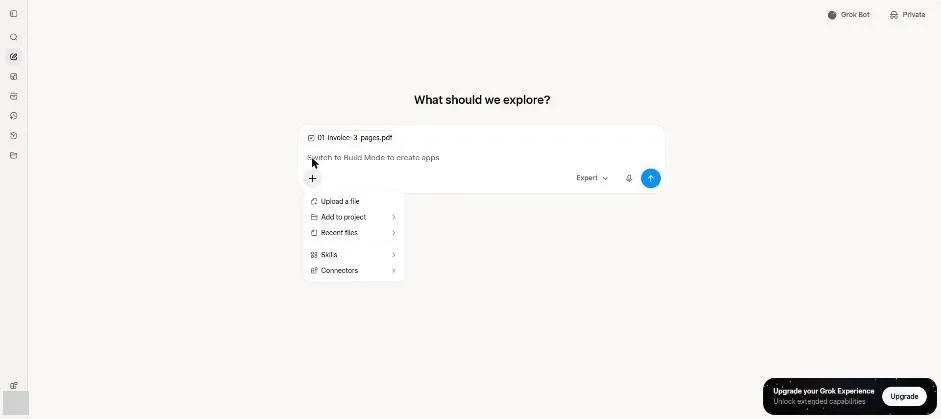
You see the invoice PDF attached to the message box.
Ask for each line item on page 2.
List every line item on page 2 of this invoice, with its amount.
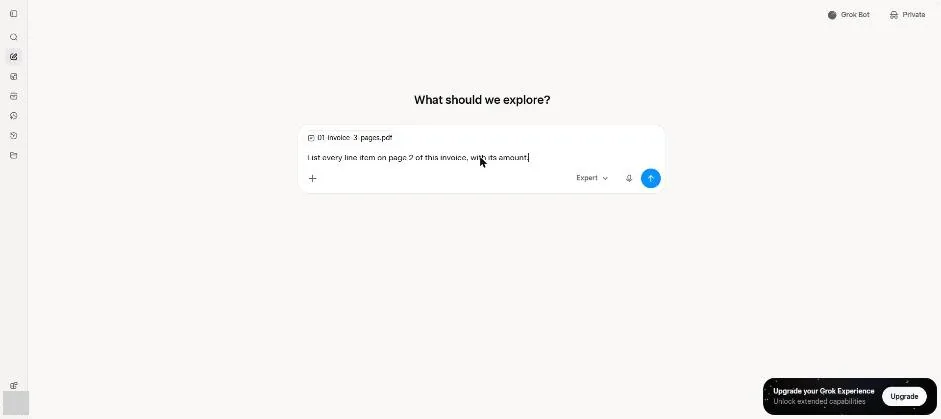
Send the question.
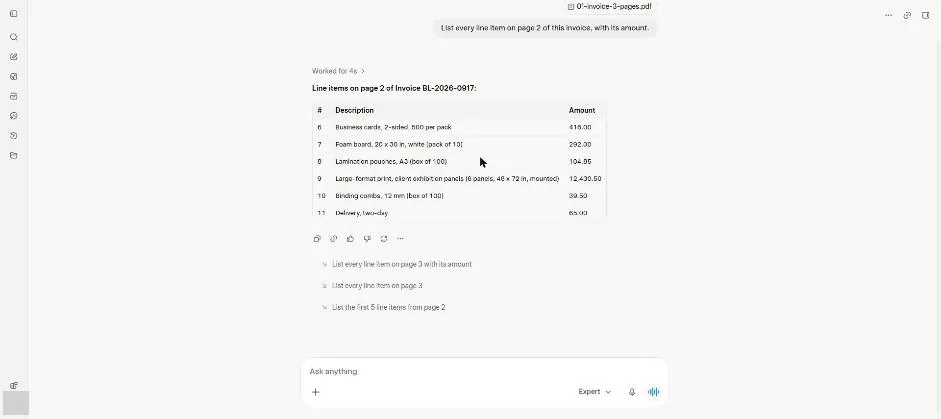
You see a table of page 2 invoice items.
Click a picture to see it full size.