
Skills in Claude
Your plan
We haven't checked whether Skills is in Claude Free.
We haven't checked whether Skills is in Claude Pro.
We haven't checked whether Skills is in Claude Max 5x.
We haven't checked whether Skills is in Claude Max 20x.
We haven't checked whether Skills is in Claude Team Standard.
We haven't checked whether Skills is in Claude Team Premium.
We haven't checked whether Skills is in Claude Enterprise.
Tell us your plan to see the answer for it.
In each plan
We haven't checked which plans include this yet.
Show every plan
For you
| Free | Not checked yet* |
|---|---|
| Pro | Not checked yet* |
| Max 5x | Not checked yet* |
| Max 20x | Not checked yet* |
For teams, companies and schools
| Team Standard | Not checked yet* |
|---|---|
| Team Premium | Not checked yet* |
| Enterprise | Not checked yet* |
Step by step
Open Customize, then Skills, and click Add.
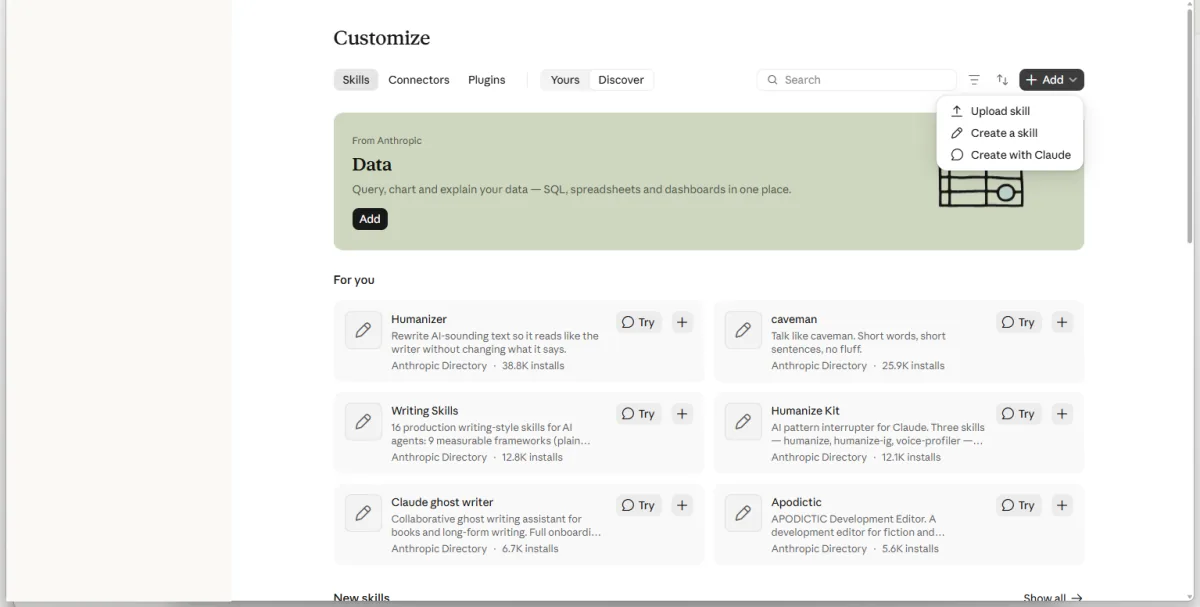
You see three ways to add a skill.
Click Create with Claude and describe the skill.
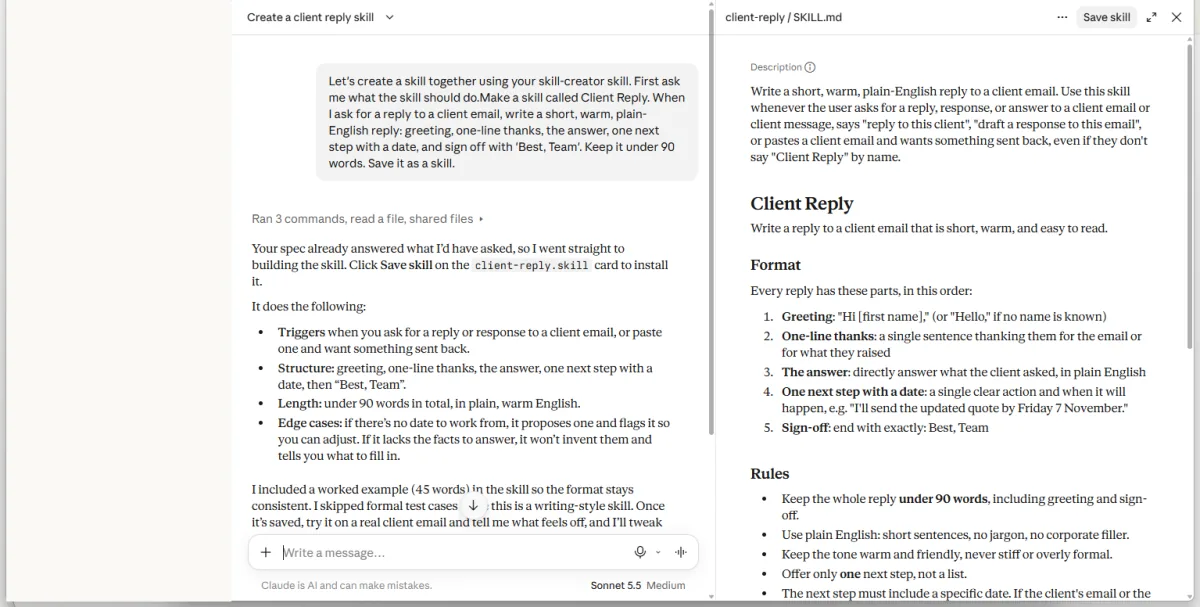
You see a draft skill document and Save skill button.
Click Save skill.
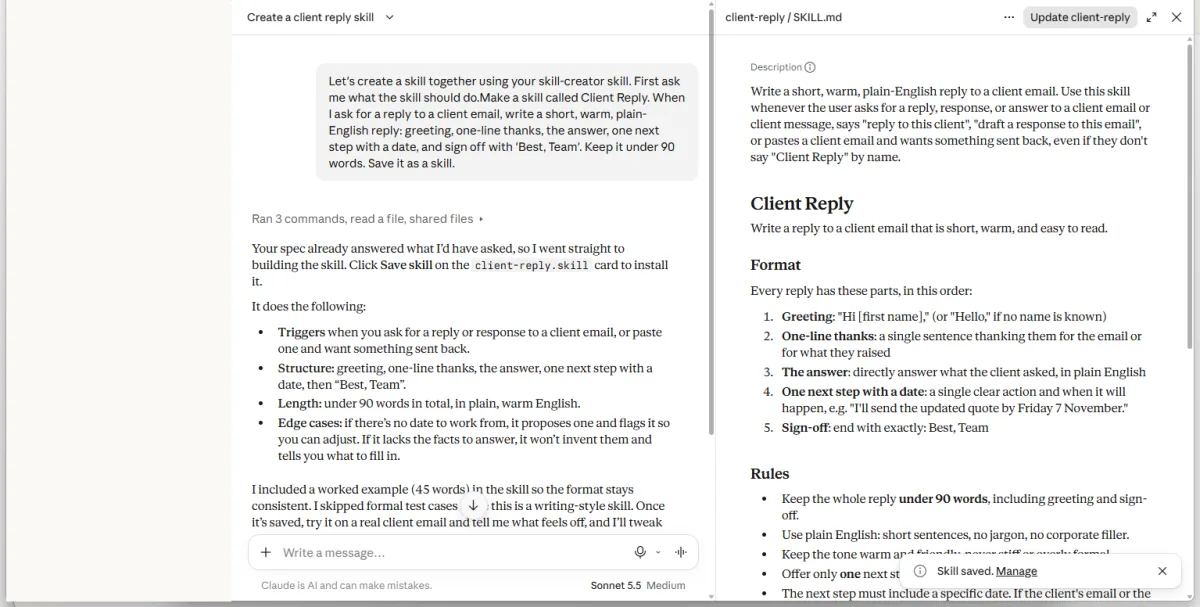
You see a Skill saved notice.
Start a new chat and enter the client question and facts.
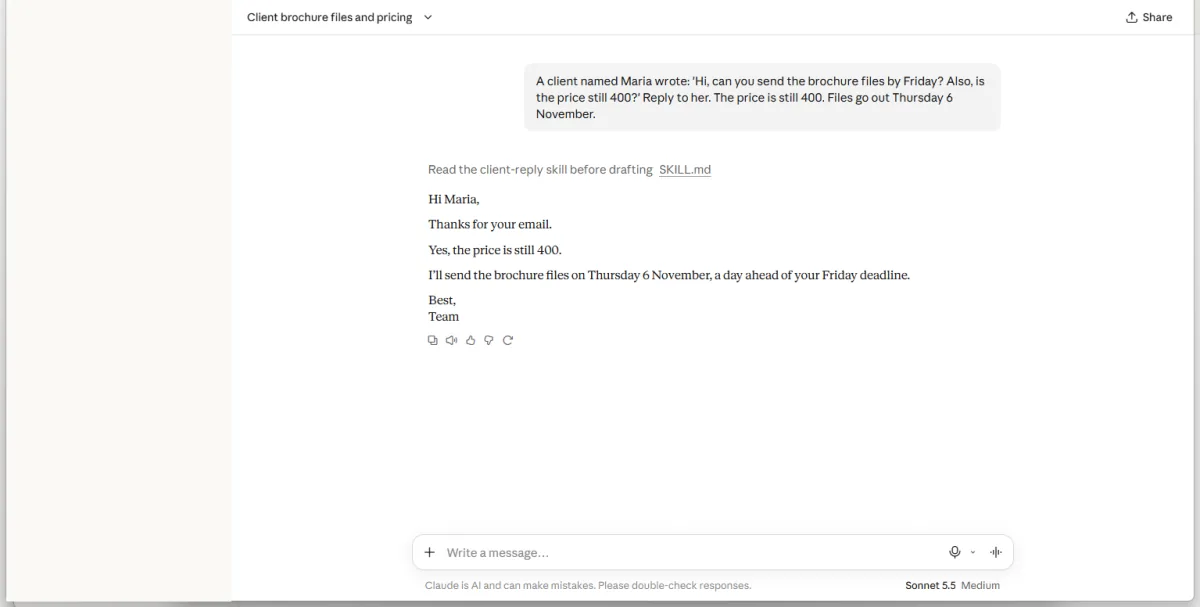
You see a reply ending with Best, Team.
Click a picture to see it full size.