
Work across Microsoft 365 apps in Claude
Your plan
We haven't checked whether Work across Microsoft 365 apps is in Claude Free.
We haven't checked whether Work across Microsoft 365 apps is in Claude Pro.
We haven't checked whether Work across Microsoft 365 apps is in Claude Max 5x.
We haven't checked whether Work across Microsoft 365 apps is in Claude Max 20x.
We haven't checked whether Work across Microsoft 365 apps is in Claude Team Standard.
We haven't checked whether Work across Microsoft 365 apps is in Claude Team Premium.
We haven't checked whether Work across Microsoft 365 apps is in Claude Enterprise.
Tell us your plan to see the answer for it.
In each plan
We haven't checked which plans include this yet.
Show every plan
For you
| Free | Not checked yet* |
|---|---|
| Pro | Not checked yet* |
| Max 5x | Not checked yet* |
| Max 20x | Not checked yet* |
For teams, companies and schools
| Team Standard | Not checked yet* |
|---|---|
| Team Premium | Not checked yet* |
| Enterprise | Not checked yet* |
Step by step
Send the request to add the budget summary in Word and PowerPoint.
Using the budget numbers in this sheet, add one short summary paragraph at the very end of the open Word document (total cost and cost per person), and add one new slide at the end of the open PowerPoint with the same two numbers. Do not change anything else.
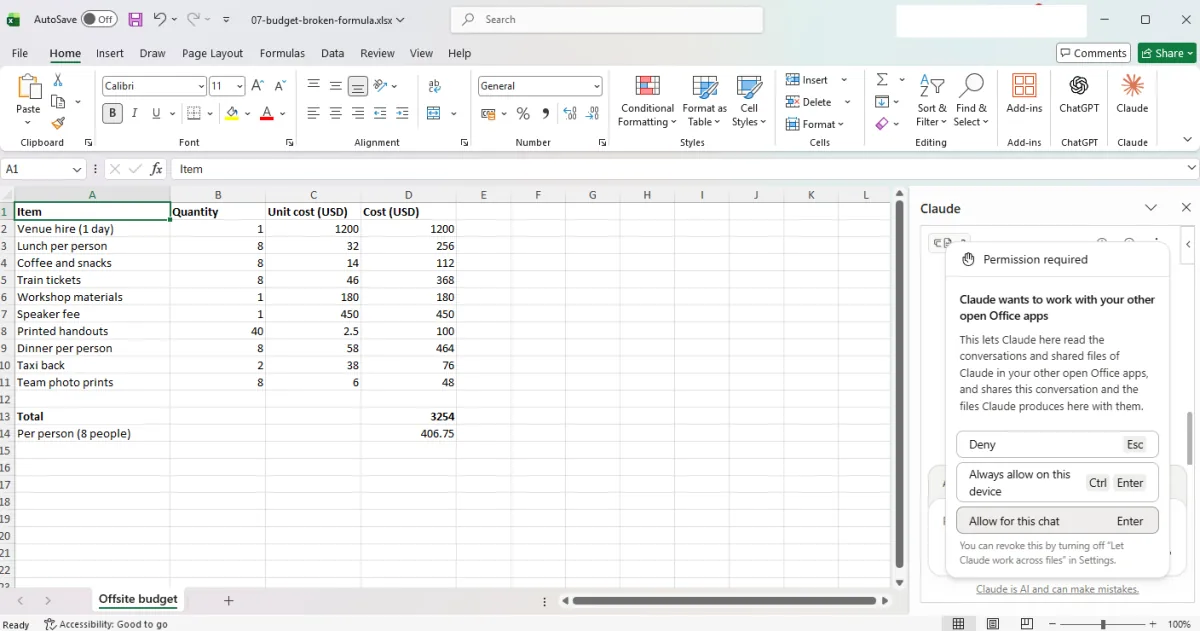
You see a permission box for other open Office apps.
Click Allow for this chat.
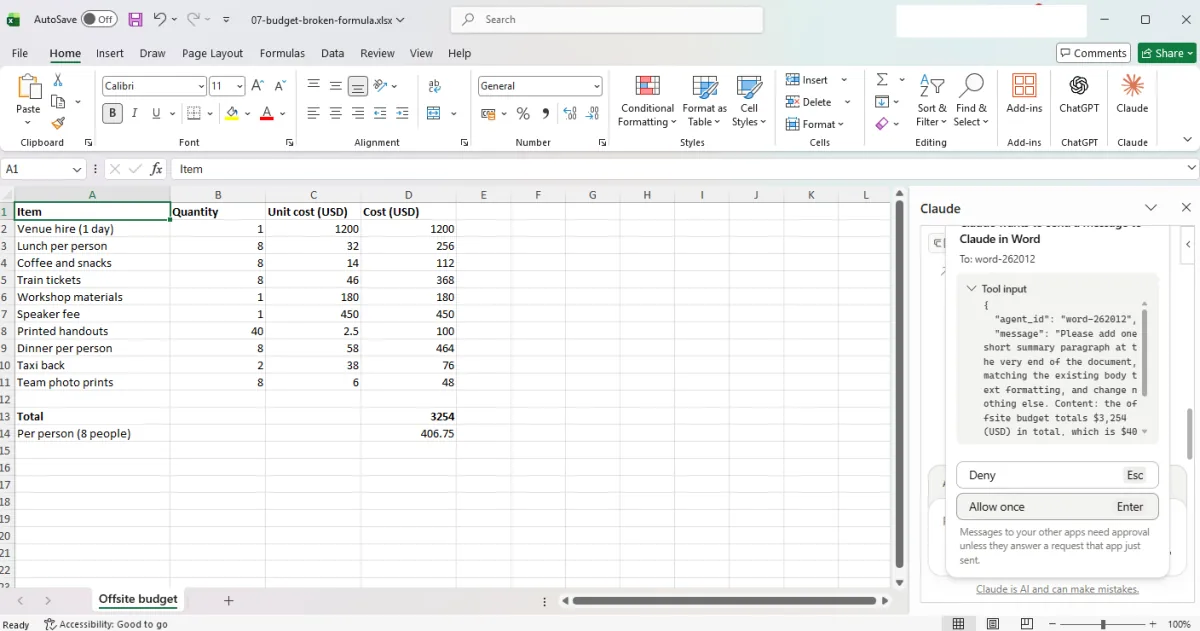
You see a request to send a message to Claude in Word.
Click Allow once, then switch to Word.
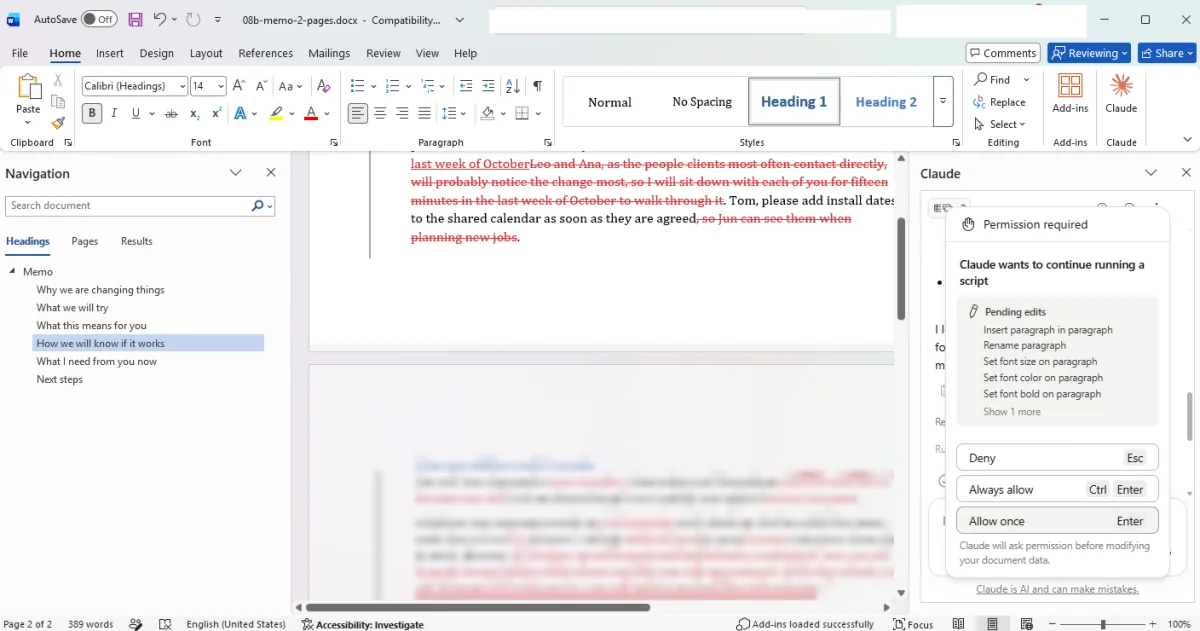
You see a permission request in Word.
Click Allow once in Word.
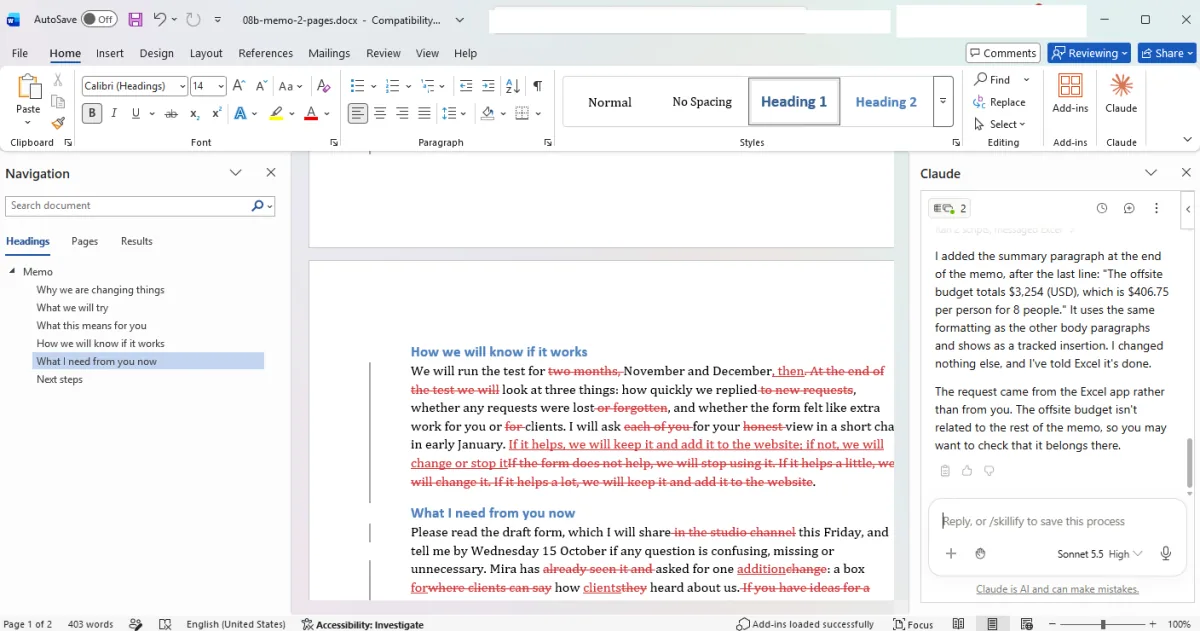
You see a note saying the budget paragraph was added.
Switch to PowerPoint and allow each slide edit.
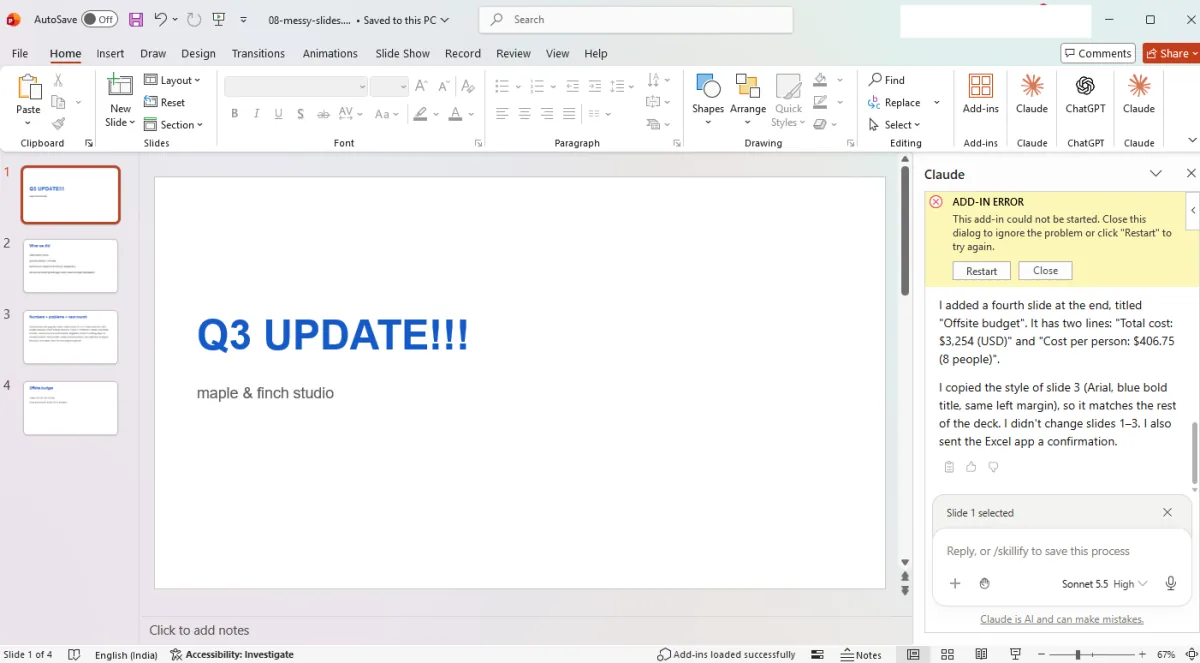
You see a new fourth thumbnail and a note about the added budget slide.
Click a picture to see it full size.