
Claude for Word in Claude
Your plan
We haven't checked whether Claude for Word is in Claude Free.
We haven't checked whether Claude for Word is in Claude Pro.
We haven't checked whether Claude for Word is in Claude Max 5x.
We haven't checked whether Claude for Word is in Claude Max 20x.
We haven't checked whether Claude for Word is in Claude Team Standard.
We haven't checked whether Claude for Word is in Claude Team Premium.
We haven't checked whether Claude for Word is in Claude Enterprise.
Tell us your plan to see the answer for it.
In each plan
We haven't checked which plans include this yet.
Show every plan
For you
| Free | Not checked yet* |
|---|---|
| Pro | Not checked yet* |
| Max 5x | Not checked yet* |
| Max 20x | Not checked yet* |
For teams, companies and schools
| Team Standard | Not checked yet* |
|---|---|
| Team Premium | Not checked yet* |
| Enterprise | Not checked yet* |
Step by step
Open the test memo and click Claude in the ribbon.
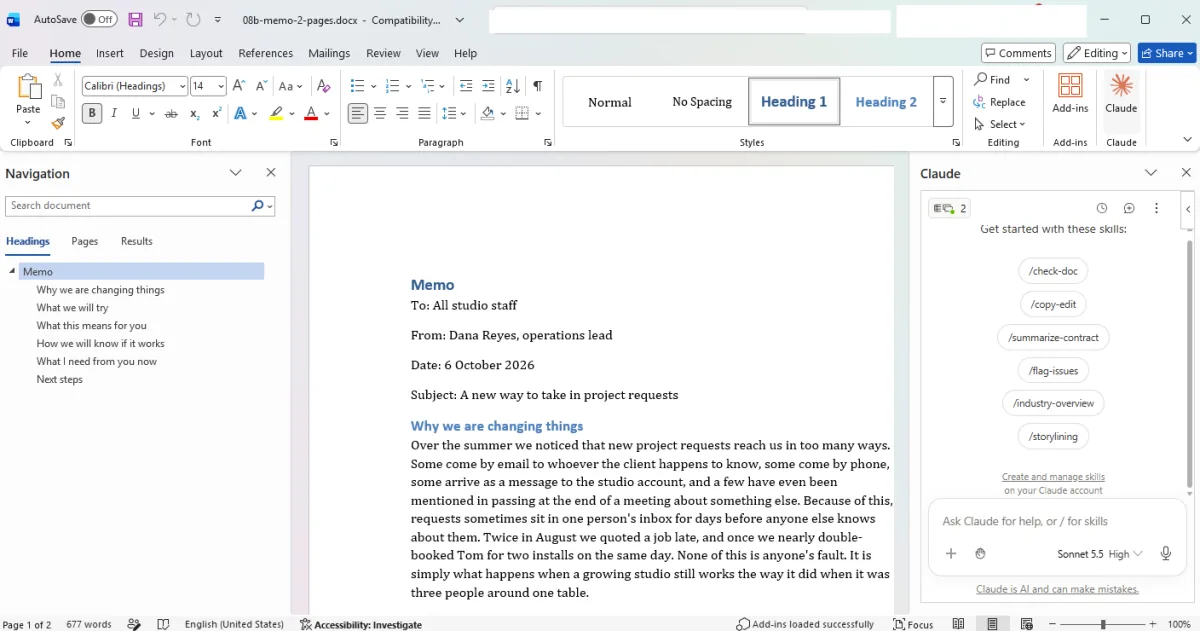
You see the memo and Claude skill buttons.
Send the request to shorten the memo with tracked changes.
Shorten this 2-page memo to fit on one page. Keep the key facts, dates and asks. Make the changes in the document as tracked changes.
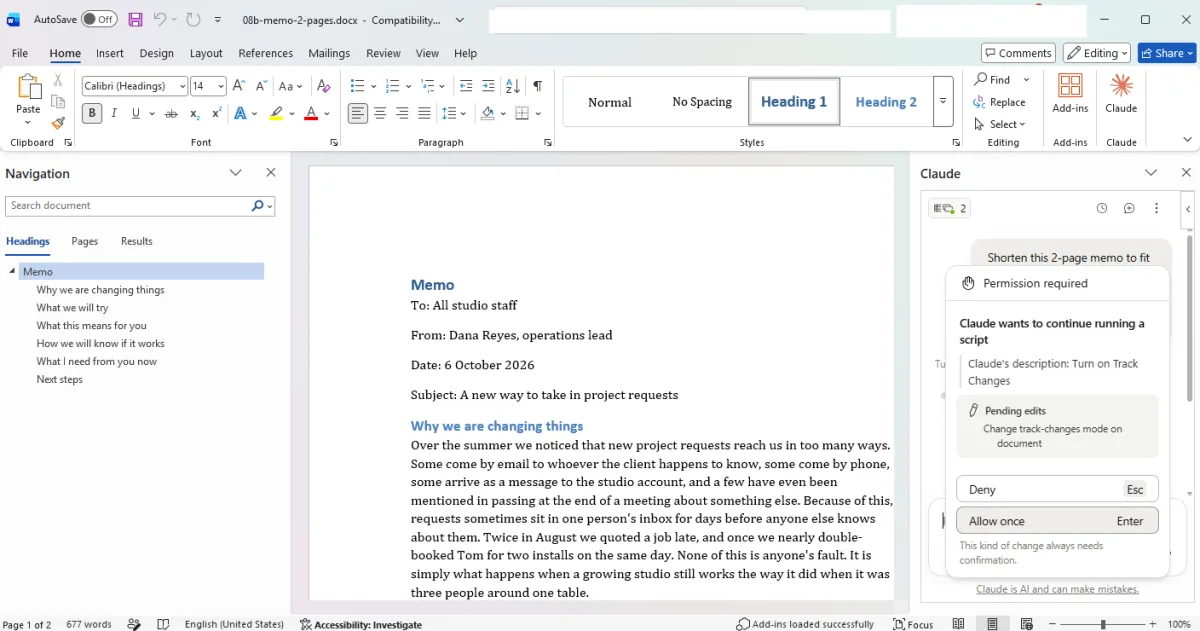
You see a Track Changes permission box.
Click Allow once for each edit.
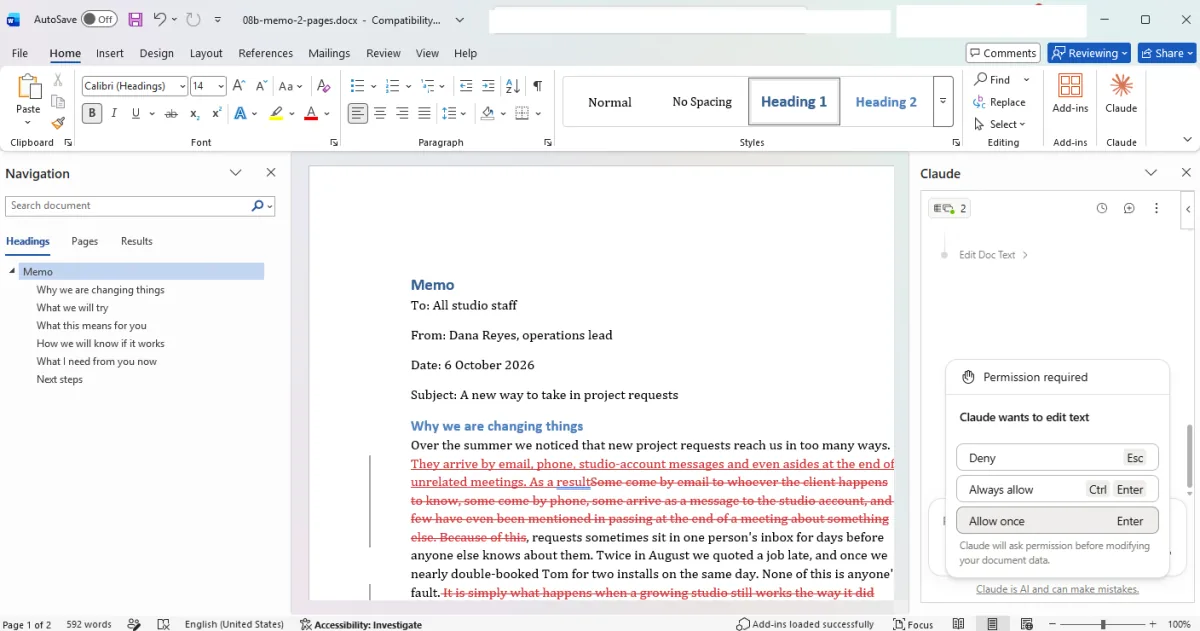
You see red crossed-out text in the memo.
Wait for the edits to finish.
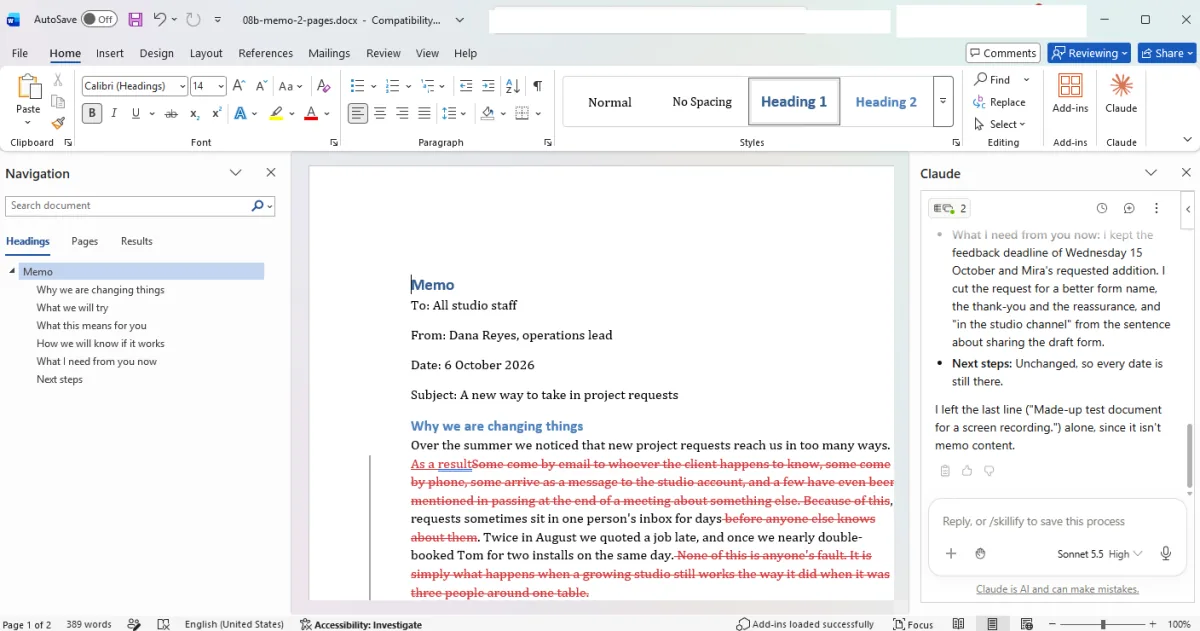
You see 389 words in the Word status bar.
Scroll up in the Claude pane.
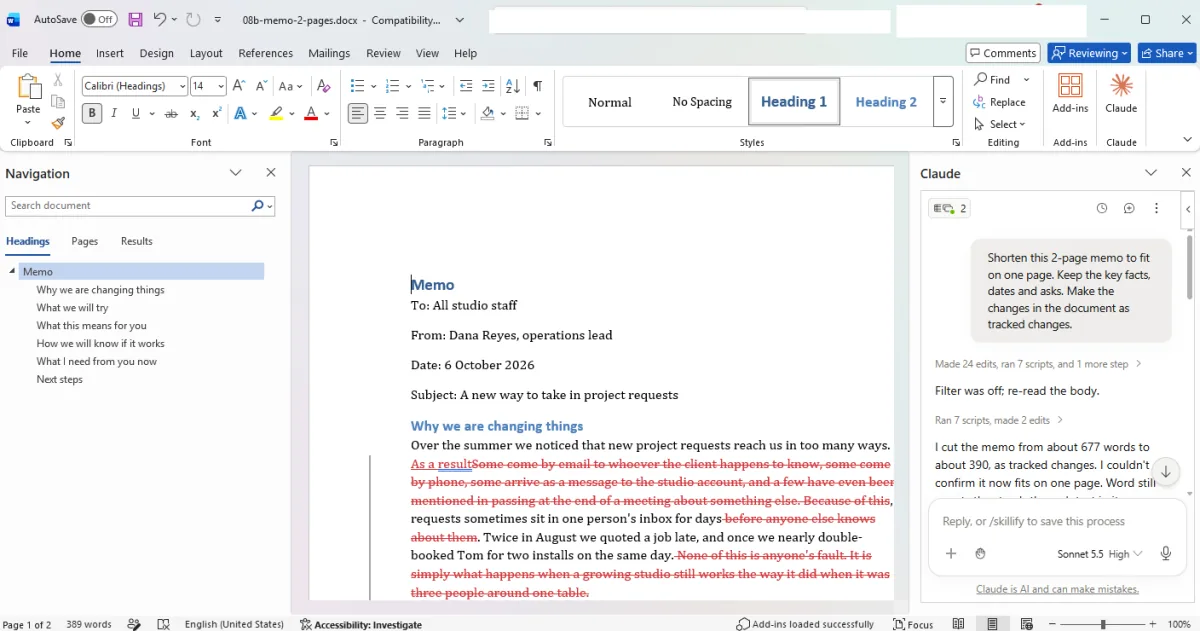
You see a note about the cuts and an unconfirmed page count.
Click a picture to see it full size.