
Built-in browser in Cowork in Claude
Your plan
We haven't checked whether Built-in browser in Cowork is in Claude Free.
We haven't checked whether Built-in browser in Cowork is in Claude Pro.
We haven't checked whether Built-in browser in Cowork is in Claude Max 5x.
We haven't checked whether Built-in browser in Cowork is in Claude Max 20x.
We haven't checked whether Built-in browser in Cowork is in Claude Team Standard.
We haven't checked whether Built-in browser in Cowork is in Claude Team Premium.
We haven't checked whether Built-in browser in Cowork is in Claude Enterprise.
Tell us your plan to see the answer for it.
In each plan
We haven't checked which plans include this yet.
Show every plan
For you
| Free | Not checked yet* |
|---|---|
| Pro | Not checked yet* |
| Max 5x | Not checked yet* |
| Max 20x | Not checked yet* |
For teams, companies and schools
| Team Standard | Not checked yet* |
|---|---|
| Team Premium | Not checked yet* |
| Enterprise | Not checked yet* |
Step by step
Send the request to open example.com in the built-in browser.
Use the built-in browser pane (not my other browsers) to open https://example.com. Tell me the page heading you see. Do not sign in anywhere.
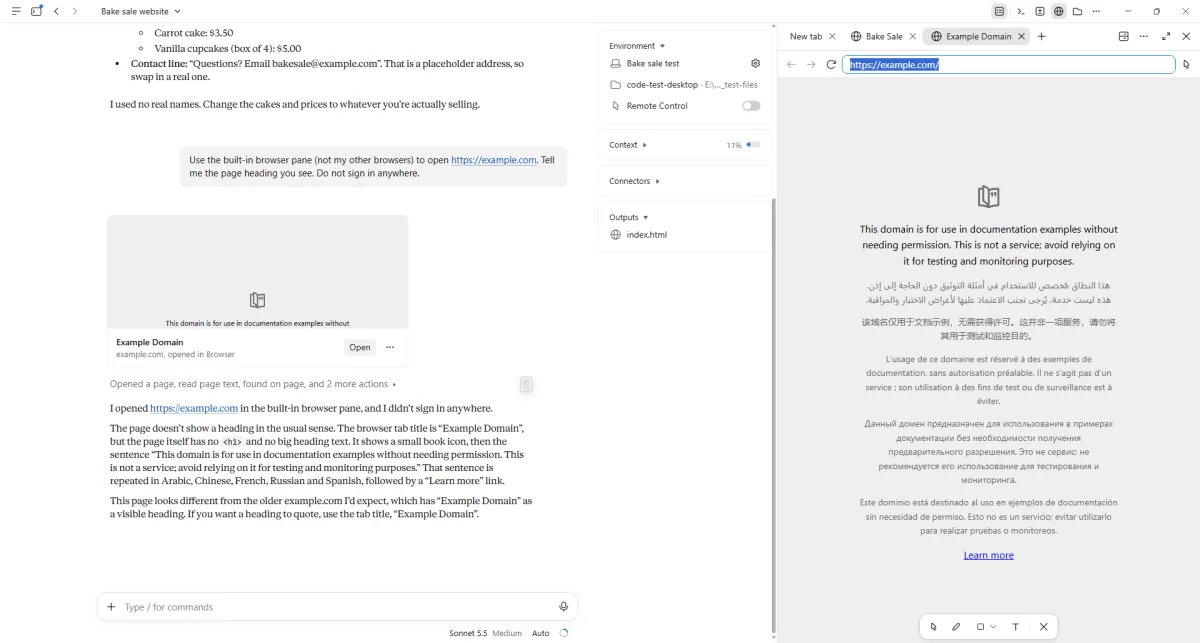
You see example.com open in the browser pane.
Send the dinner search request.
Now use the built-in browser to find three dinner places near the Marriott Marquis hotel in Times Square, New York. List each place with its opening hours and the web page you used. Do not sign in anywhere.
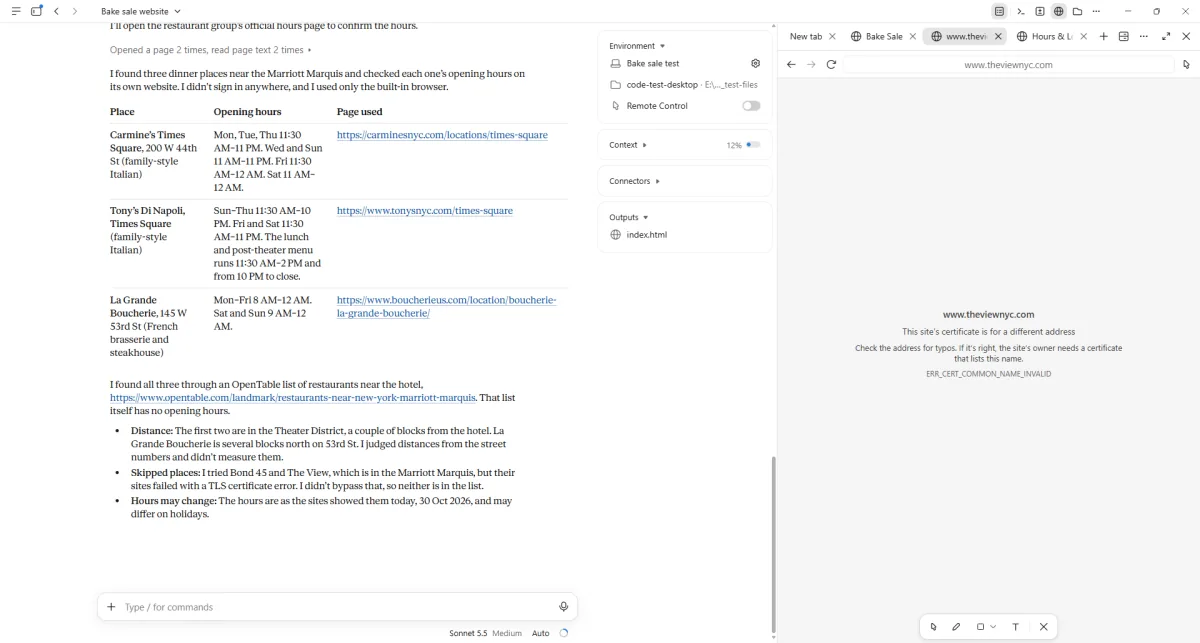
You see a table of places, hours and source links.
Click a picture to see it full size.