
Claude in Chrome in Claude
Your plan
We haven't checked whether Claude in Chrome is in Claude Free.
We haven't checked whether Claude in Chrome is in Claude Pro.
We haven't checked whether Claude in Chrome is in Claude Max 5x.
We haven't checked whether Claude in Chrome is in Claude Max 20x.
We haven't checked whether Claude in Chrome is in Claude Team Standard.
We haven't checked whether Claude in Chrome is in Claude Team Premium.
We haven't checked whether Claude in Chrome is in Claude Enterprise.
Tell us your plan to see the answer for it.
In each plan
We haven't checked which plans include this yet.
Show every plan
For you
| Free | Not checked yet* |
|---|---|
| Pro | Not checked yet* |
| Max 5x | Not checked yet* |
| Max 20x | Not checked yet* |
For teams, companies and schools
| Team Standard | Not checked yet* |
|---|---|
| Team Premium | Not checked yet* |
| Enterprise | Not checked yet* |
Step by step
Open the Claude side panel and click its model name.
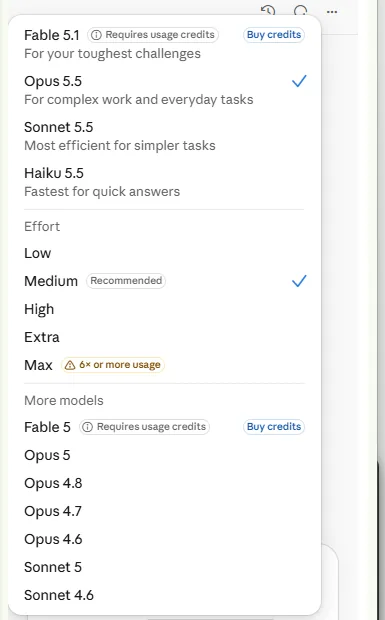
You see model choices and effort levels.
Choose Sonnet and open the test shop page.
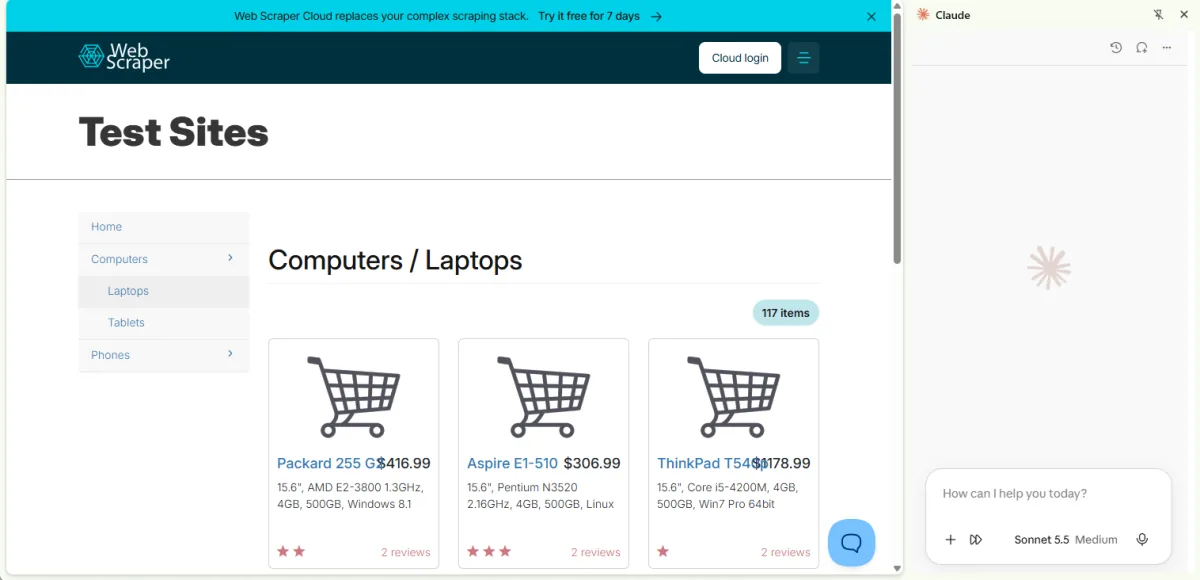
You see the side panel beside the shop.
Type and send the laptop comparison request.
Compare the three laptops shown on this page: price, CPU, memory, storage and reviews. Say which is the best value. Use only what this page shows.
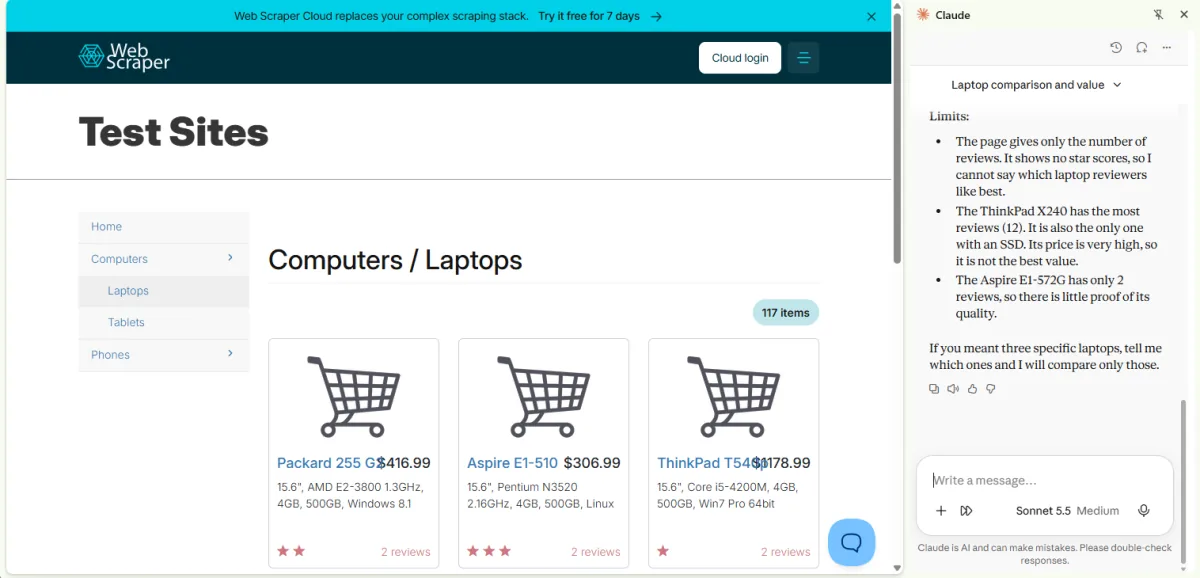
You see a reply describing limits of the comparison.
Click a picture to see it full size.