
Project memory in Claude
Your plan
We haven't checked whether Project memory is in Claude Free.
We haven't checked whether Project memory is in Claude Pro.
We haven't checked whether Project memory is in Claude Max 5x.
We haven't checked whether Project memory is in Claude Max 20x.
We haven't checked whether Project memory is in Claude Team Standard.
We haven't checked whether Project memory is in Claude Team Premium.
We haven't checked whether Project memory is in Claude Enterprise.
Tell us your plan to see the answer for it.
In each plan
We haven't checked which plans include this yet.
Show every plan
For you
| Free | Not checked yet* |
|---|---|
| Pro | Not checked yet* |
| Max 5x | Not checked yet* |
| Max 20x | Not checked yet* |
For teams, companies and schools
| Team Standard | Not checked yet* |
|---|---|
| Team Premium | Not checked yet* |
| Enterprise | Not checked yet* |
Step by step
Click New project and type the name and goal.
Plan my move to a new flat: dates, boxes and bills.
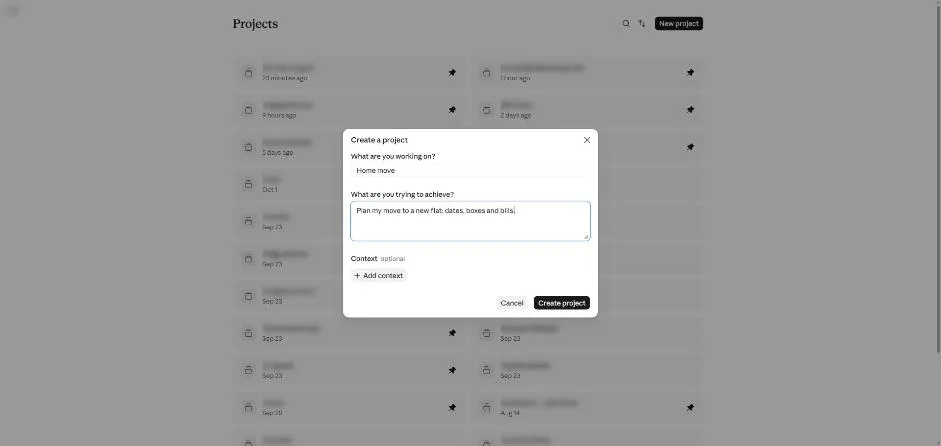
Click Create project.
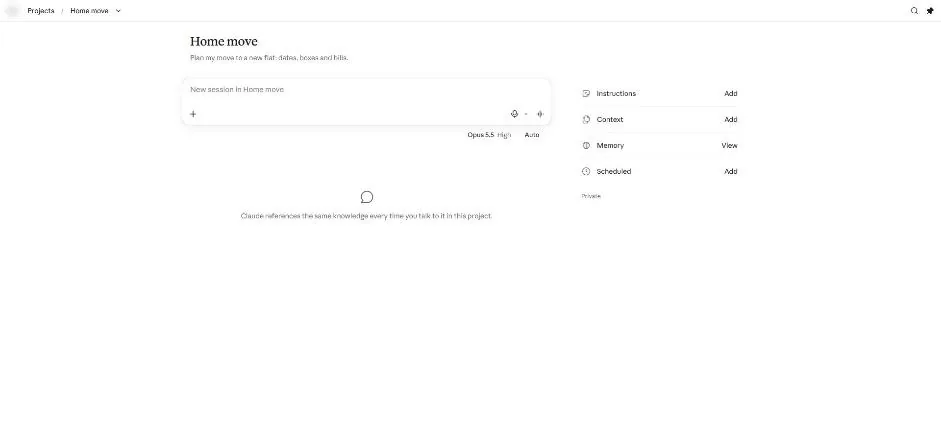
You see the Home move project page.
Click View next to Memory.
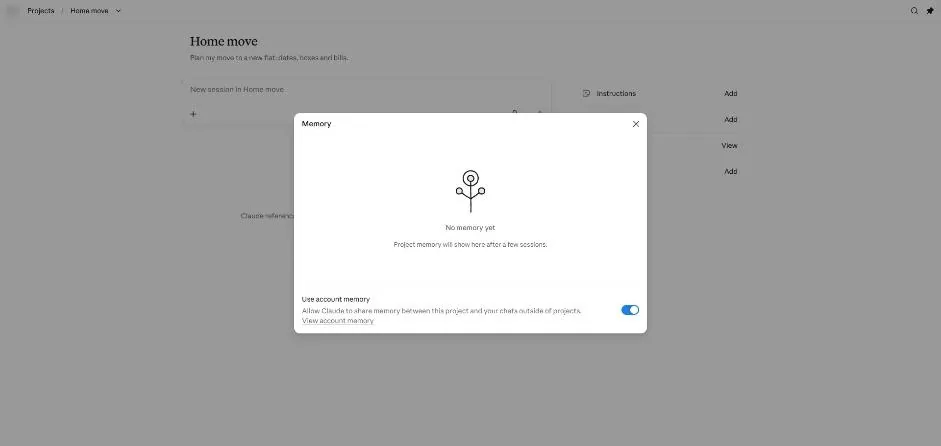
You see No memory yet and Use account memory switched on.
Close the Memory box and type the test question.
When does the Northfield Software newsletter go out?
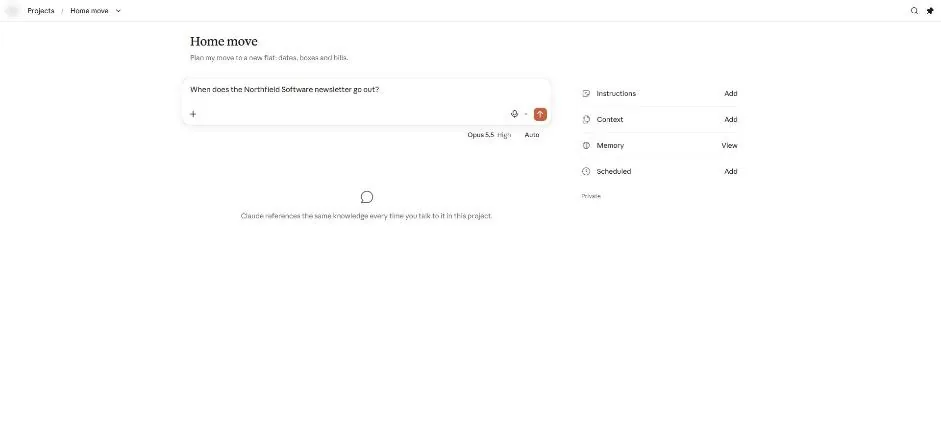
Send the question.
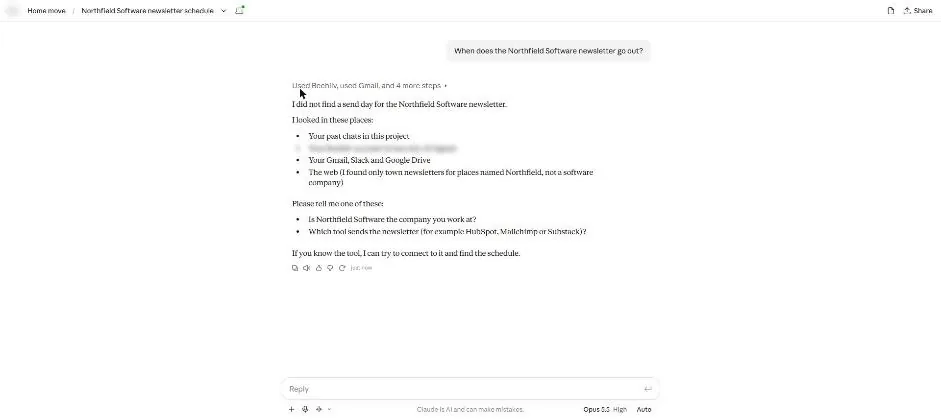
You see an answer saying no newsletter send day was found.
Open Memory and switch off Use account memory.
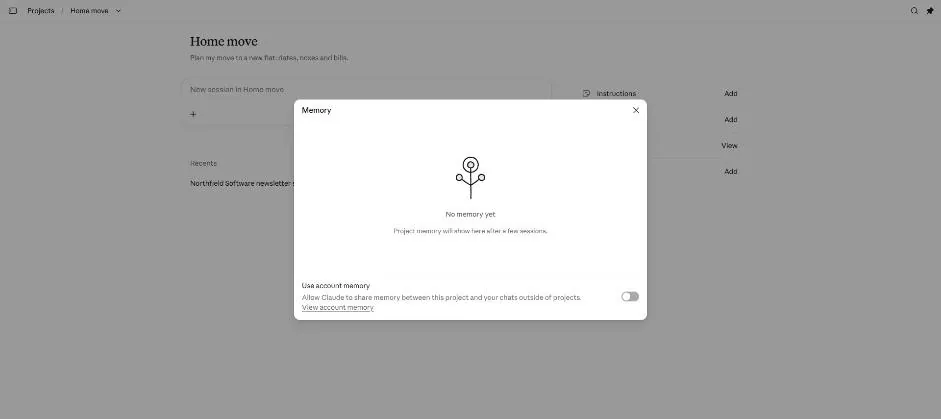
You see Use account memory switched off.
Click a picture to see it full size.