
Appearance settings in Claude
Your plan
We haven't checked whether Appearance settings is in Claude Free.
We haven't checked whether Appearance settings is in Claude Pro.
We haven't checked whether Appearance settings is in Claude Max 5x.
We haven't checked whether Appearance settings is in Claude Max 20x.
We haven't checked whether Appearance settings is in Claude Team Standard.
We haven't checked whether Appearance settings is in Claude Team Premium.
We haven't checked whether Appearance settings is in Claude Enterprise.
Tell us your plan to see the answer for it.
In each plan
We haven't checked which plans include this yet.
Show every plan
For you
| Free | Not checked yet* |
|---|---|
| Pro | Not checked yet* |
| Max 5x | Not checked yet* |
| Max 20x | Not checked yet* |
For teams, companies and schools
| Team Standard | Not checked yet* |
|---|---|
| Team Premium | Not checked yet* |
| Enterprise | Not checked yet* |
Step by step
Open Settings, then General.
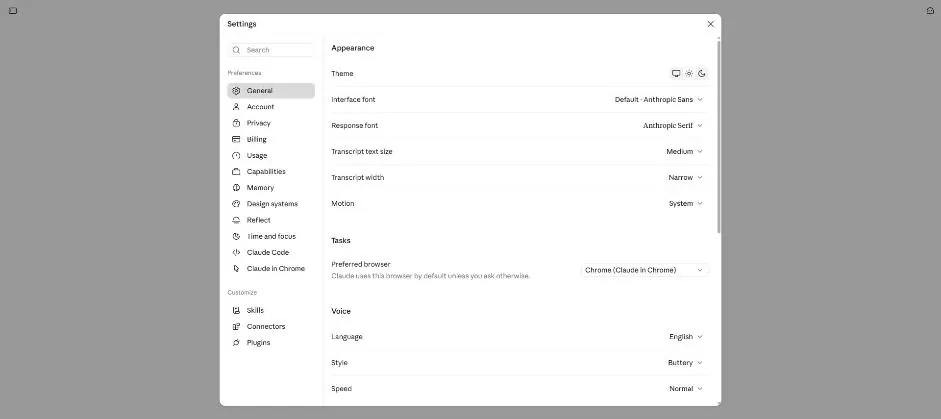
Click the moon icon under Theme.
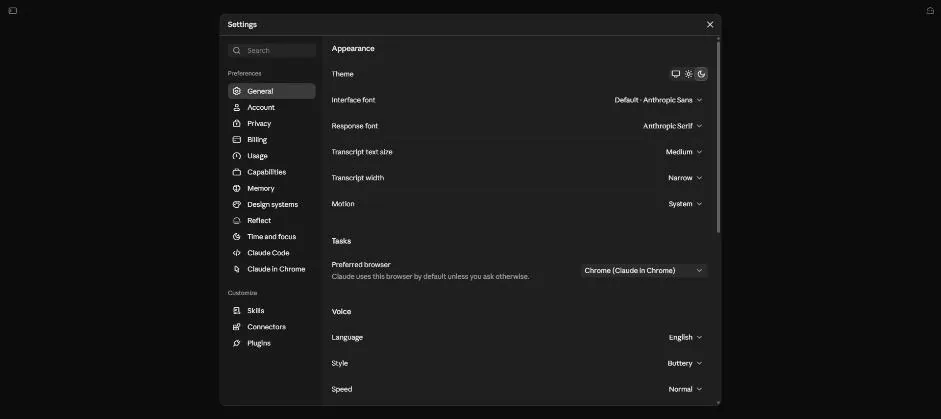
You see the settings page in dark mode.
Click the screen icon under Theme.
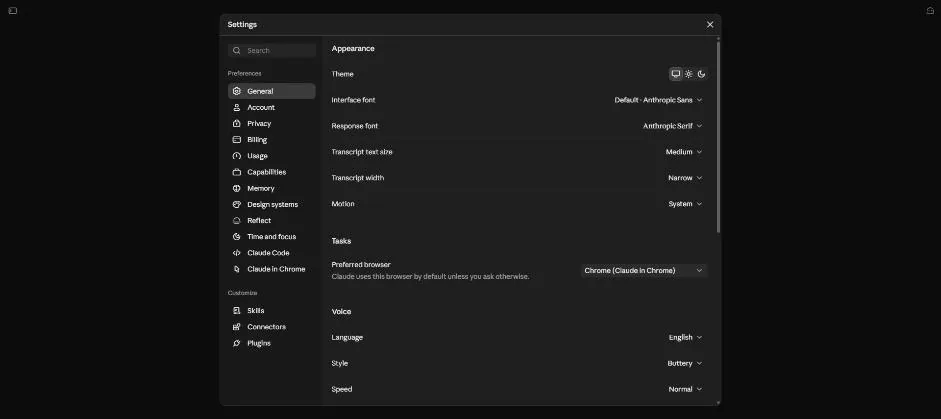
You see the system theme selected.
Click the sun icon under Theme.
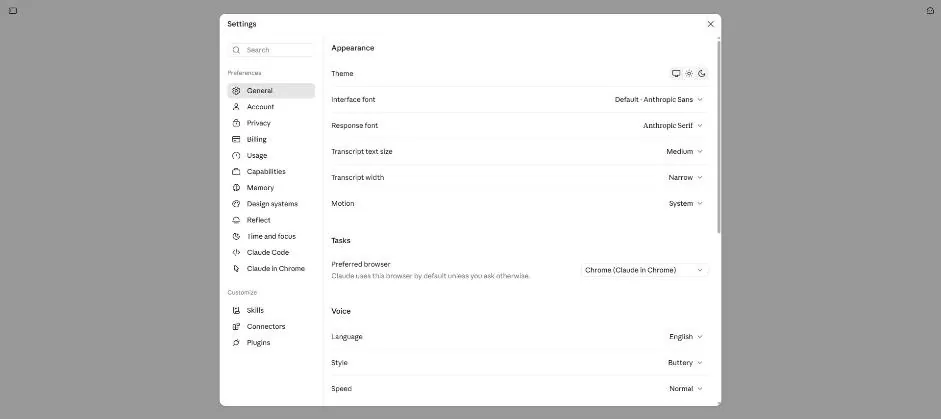
You see the settings page in light mode.
Open the Response font list.
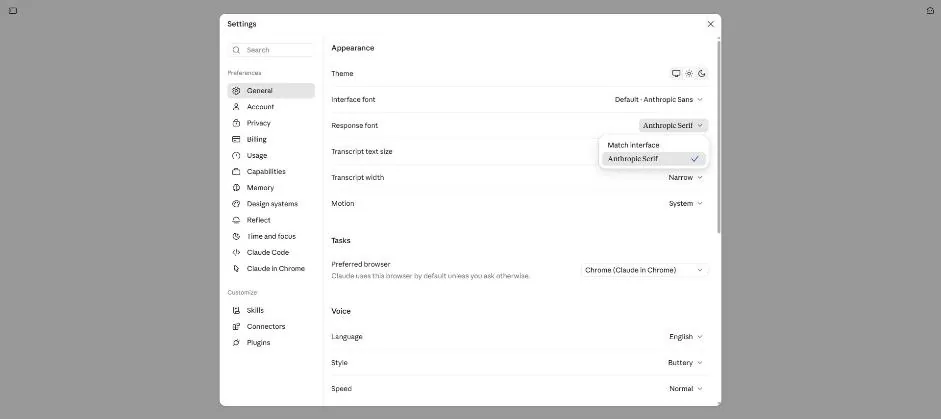
You see Match interface and Anthropic Serif, with Anthropic Serif selected.
Select Match interface.
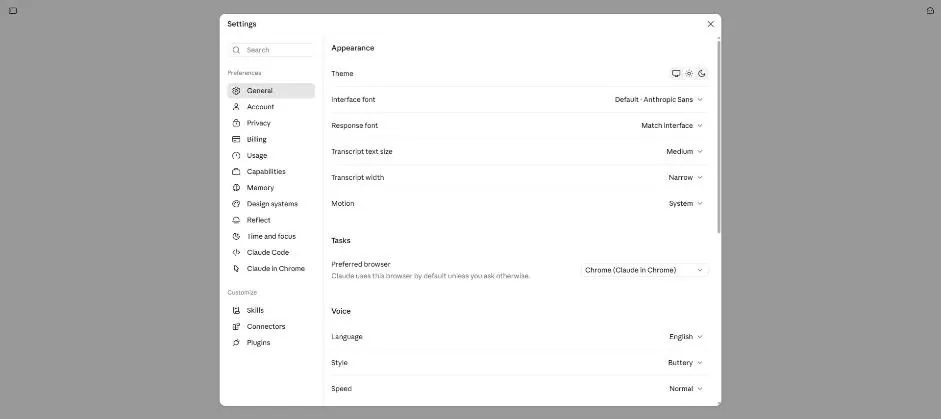
You see Response font set to Match interface.
Open the font list and select Anthropic Serif.
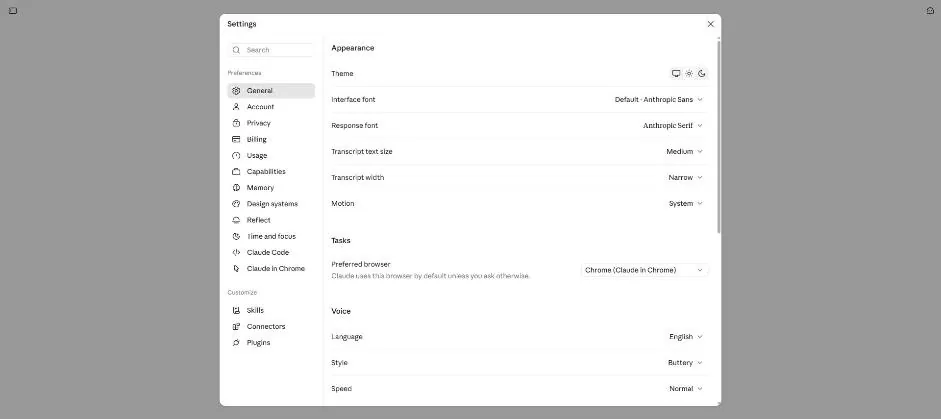
You see Response font set to Anthropic Serif.
Click a picture to see it full size.