
Search past chats in Claude
Your plan
We haven't checked whether Search past chats is in Claude Free.
We haven't checked whether Search past chats is in Claude Pro.
We haven't checked whether Search past chats is in Claude Max 5x.
We haven't checked whether Search past chats is in Claude Max 20x.
We haven't checked whether Search past chats is in Claude Team Standard.
We haven't checked whether Search past chats is in Claude Team Premium.
We haven't checked whether Search past chats is in Claude Enterprise.
Tell us your plan to see the answer for it.
In each plan
We haven't checked which plans include this yet.
Show every plan
For you
| Free | Not checked yet* |
|---|---|
| Pro | Not checked yet* |
| Max 5x | Not checked yet* |
| Max 20x | Not checked yet* |
For teams, companies and schools
| Team Standard | Not checked yet* |
|---|---|
| Team Premium | Not checked yet* |
| Enterprise | Not checked yet* |
Step by step
Type the question about the earlier chat.
What did we decide earlier about who signs off Northfield campaign spend over $5,000?
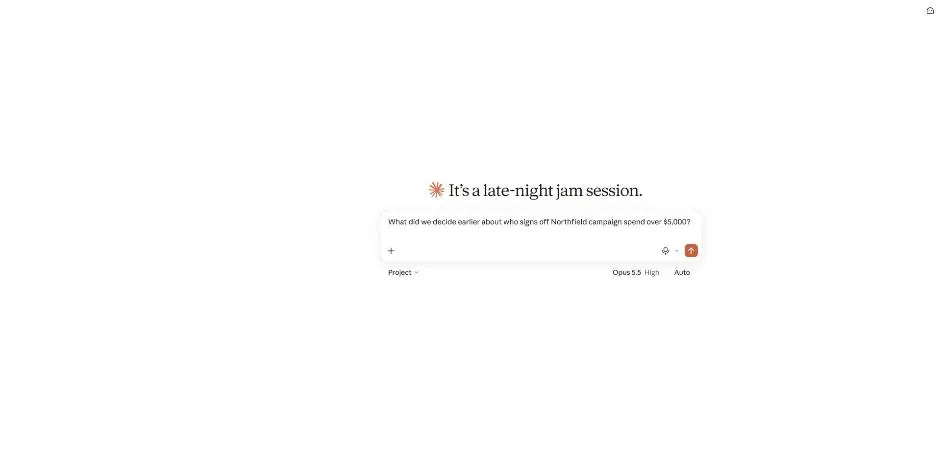
Send the question.
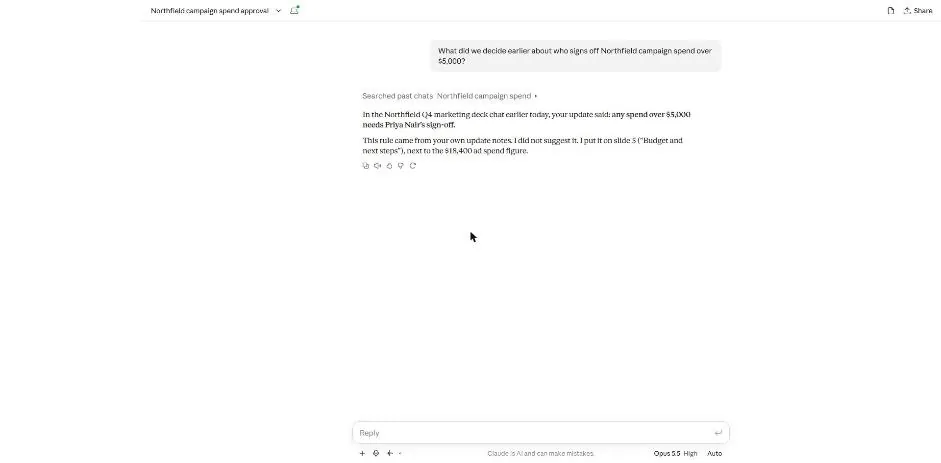
You see a past chat search note and an answer about approval.
Click the Searched past chats note.
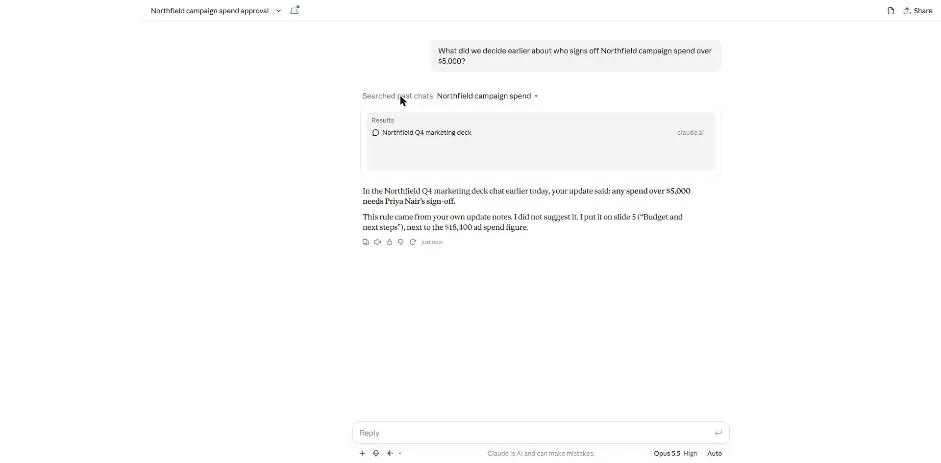
You see a Results box with the earlier test chat.
Click the search result.
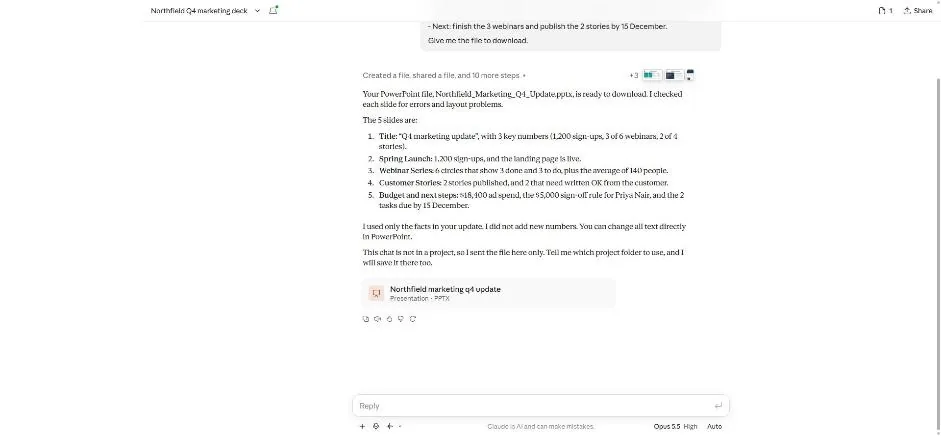
You see the earlier slide chat and its file card.
Click a picture to see it full size.