
Memory (Topics) in Claude
Your plan
We haven't checked whether Memory (Topics) is in Claude Free.
We haven't checked whether Memory (Topics) is in Claude Pro.
We haven't checked whether Memory (Topics) is in Claude Max 5x.
We haven't checked whether Memory (Topics) is in Claude Max 20x.
We haven't checked whether Memory (Topics) is in Claude Team Standard.
We haven't checked whether Memory (Topics) is in Claude Team Premium.
We haven't checked whether Memory (Topics) is in Claude Enterprise.
Tell us your plan to see the answer for it.
In each plan
We haven't checked which plans include this yet.
Show every plan
For you
| Free | Not checked yet* |
|---|---|
| Pro | Not checked yet* |
| Max 5x | Not checked yet* |
| Max 20x | Not checked yet* |
For teams, companies and schools
| Team Standard | Not checked yet* |
|---|---|
| Team Premium | Not checked yet* |
| Enterprise | Not checked yet* |
Step by step
Type the fact you want Claude to remember.
Remember this: I like short answers, and I am vegetarian.

Send the memory request.
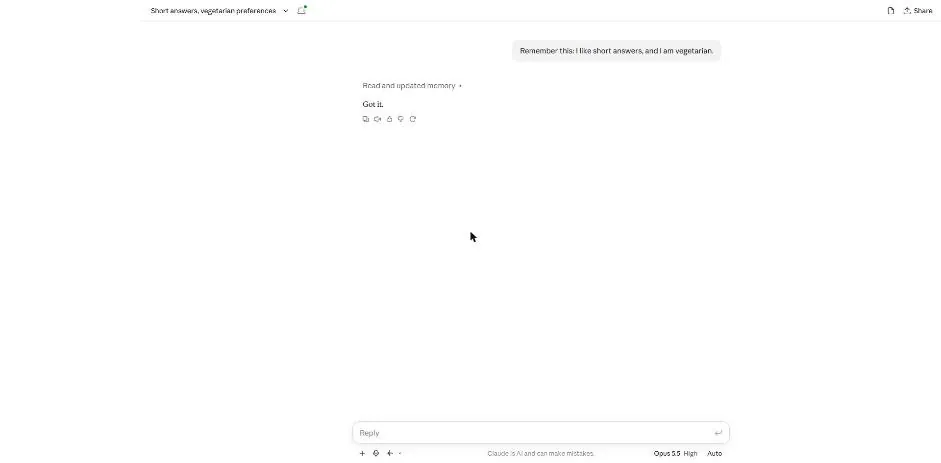
You see a memory update note and a short reply.
Start a new chat and ask for a dinner idea.
Give me one dinner idea for tonight.

Send the dinner question.
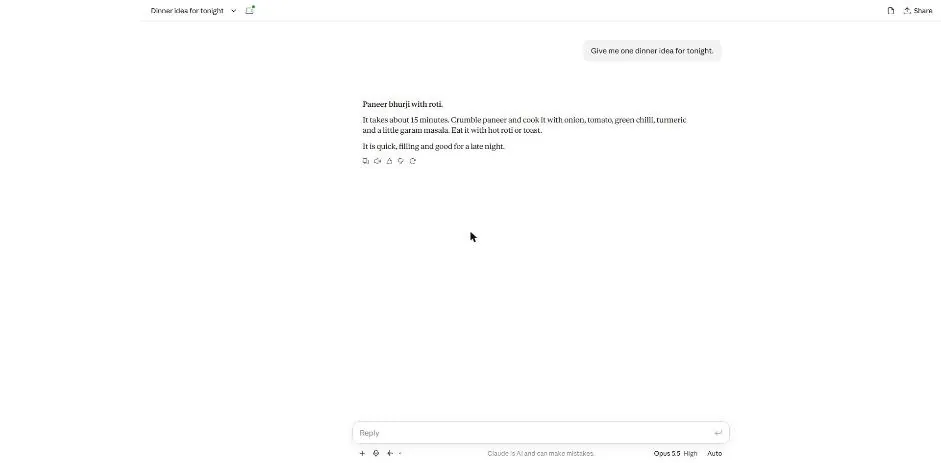
You see a meat-free dinner idea with short cooking steps.
Open Settings, then Memory.
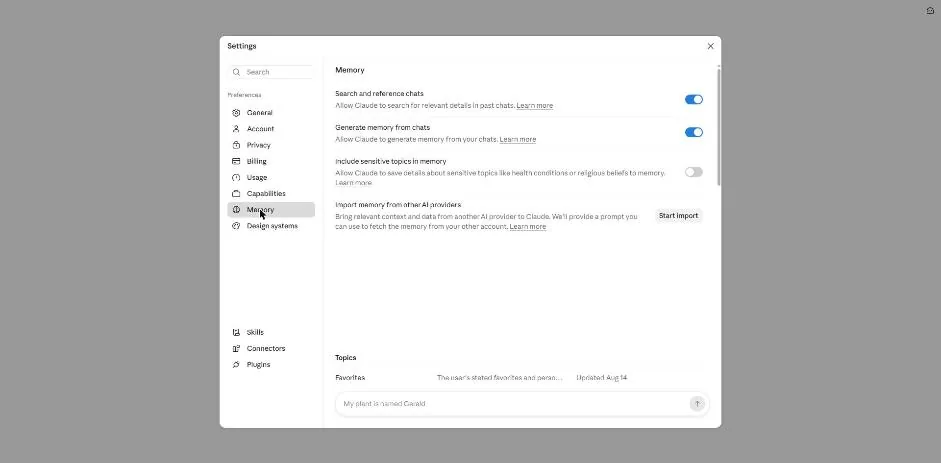
Start a new chat and type the memory delete request.
Forget what I told you about short answers and being vegetarian. Delete both from memory.
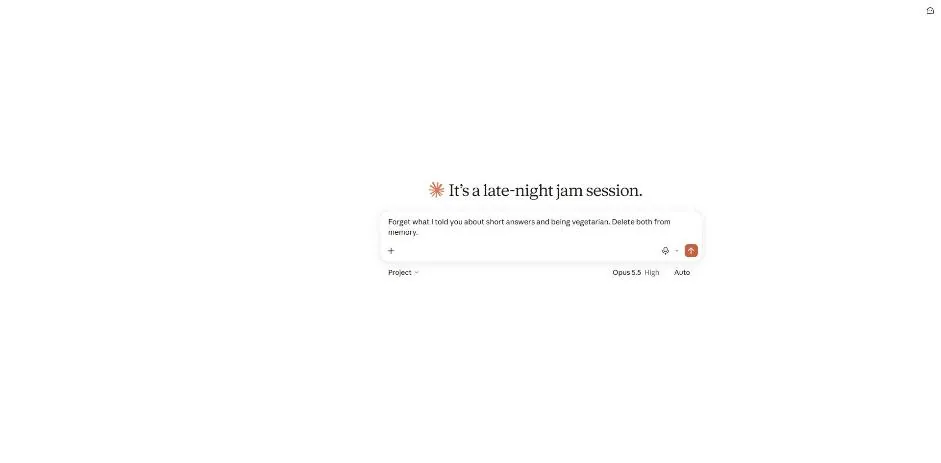
Send the delete request.
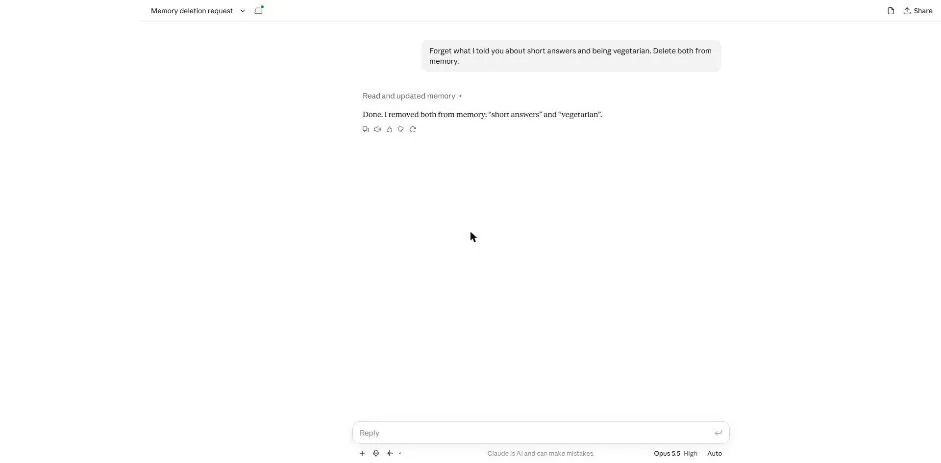
You see a memory update note confirming that both facts were removed.
Click a picture to see it full size.