
Make Word, Excel, PowerPoint and PDF files in Claude
Your plan
We haven't checked whether Make Word, Excel, PowerPoint and PDF files is in Claude Free.
We haven't checked whether Make Word, Excel, PowerPoint and PDF files is in Claude Pro.
We haven't checked whether Make Word, Excel, PowerPoint and PDF files is in Claude Max 5x.
We haven't checked whether Make Word, Excel, PowerPoint and PDF files is in Claude Max 20x.
We haven't checked whether Make Word, Excel, PowerPoint and PDF files is in Claude Team Standard.
We haven't checked whether Make Word, Excel, PowerPoint and PDF files is in Claude Team Premium.
We haven't checked whether Make Word, Excel, PowerPoint and PDF files is in Claude Enterprise.
Tell us your plan to see the answer for it.
In each plan
We haven't checked which plans include this yet.
Show every plan
For you
| Free | Not checked yet* |
|---|---|
| Pro | Not checked yet* |
| Max 5x | Not checked yet* |
| Max 20x | Not checked yet* |
For teams, companies and schools
| Team Standard | Not checked yet* |
|---|---|
| Team Premium | Not checked yet* |
| Enterprise | Not checked yet* |
Step by step
Paste the slide request and update lines.
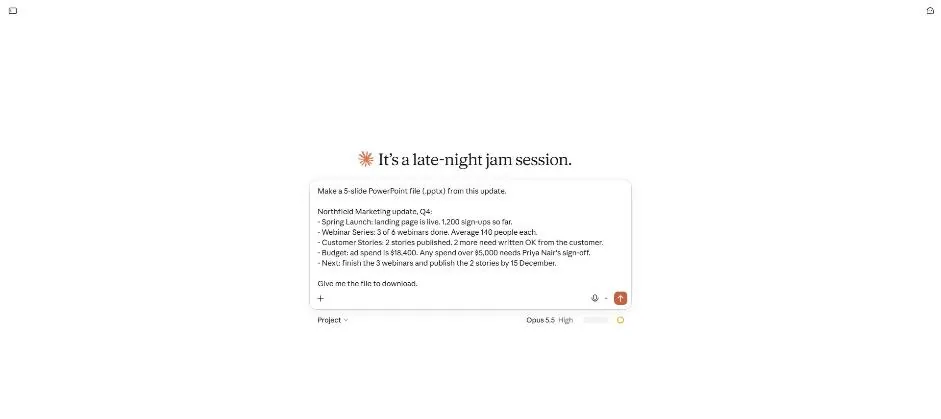
Send the request.
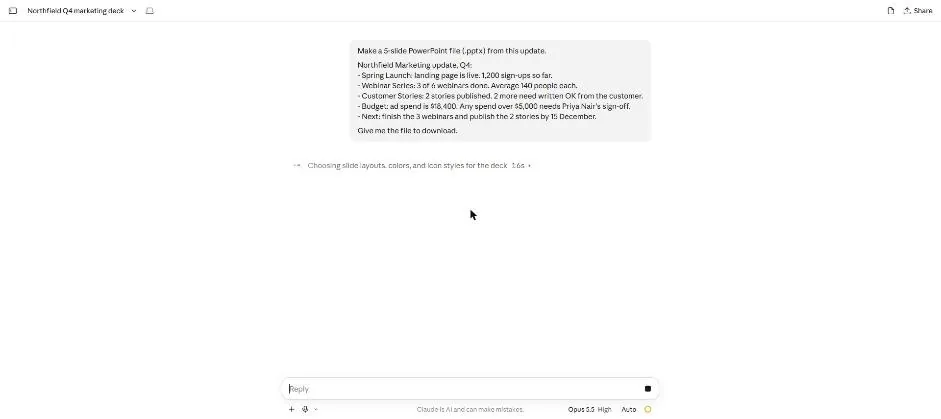
You see a note about slide layouts, colours and icons, with a stop button.
Wait about 3 minutes.
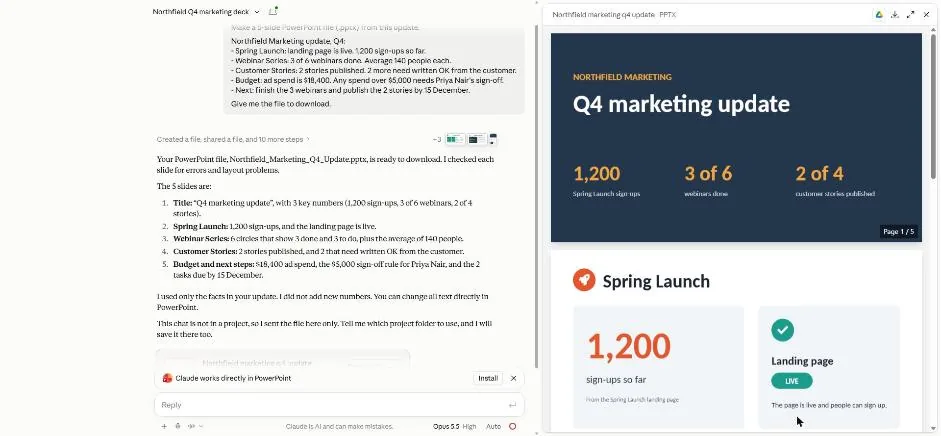
You see the title slide and Spring Launch slide.
Scroll to slides 3 and 4.
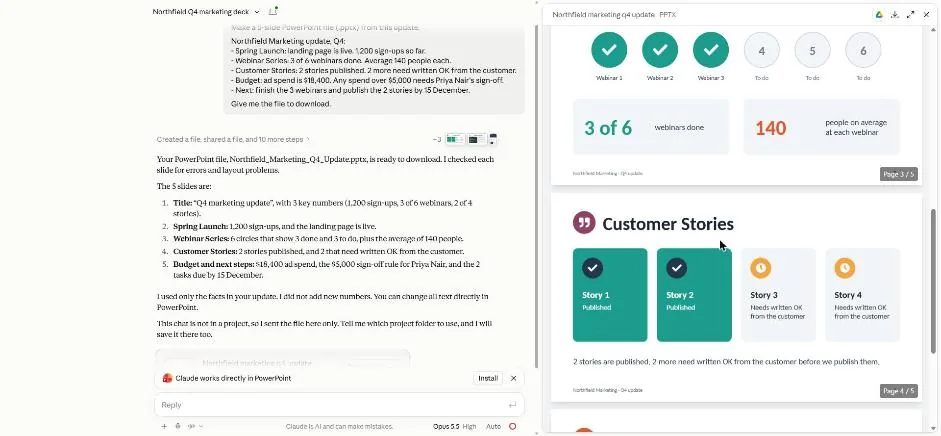
You see the webinar and customer story slides.
Scroll to the last slide and the file card.
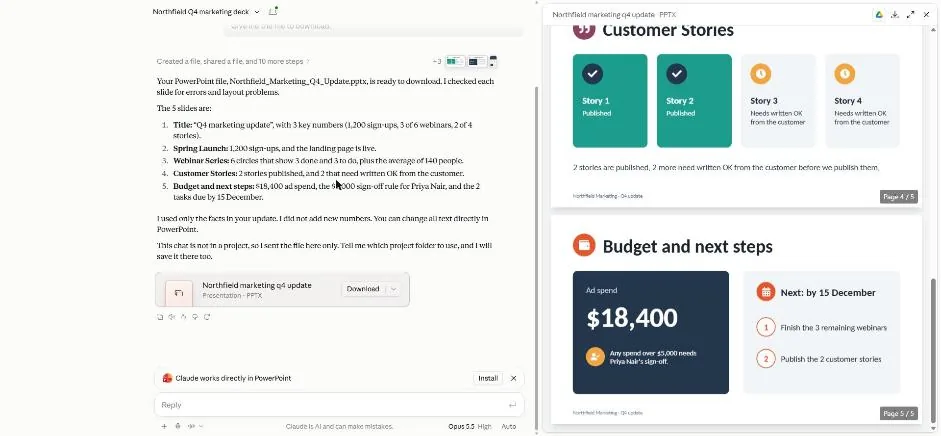
You see the final slide beside the file card and Download button.
Click a picture to see it full size.