
Claude Slides in Claude
Your plan
We haven't checked whether Claude Slides is in Claude Free.
We haven't checked whether Claude Slides is in Claude Pro.
We haven't checked whether Claude Slides is in Claude Max 5x.
We haven't checked whether Claude Slides is in Claude Max 20x.
We haven't checked whether Claude Slides is in Claude Team Standard.
We haven't checked whether Claude Slides is in Claude Team Premium.
We haven't checked whether Claude Slides is in Claude Enterprise.
Tell us your plan to see the answer for it.
In each plan
We haven't checked which plans include this yet.
Show every plan
For you
| Free | Not checked yet* |
|---|---|
| Pro | Not checked yet* |
| Max 5x | Not checked yet* |
| Max 20x | Not checked yet* |
For teams, companies and schools
| Team Standard | Not checked yet* |
|---|---|
| Team Premium | Not checked yet* |
| Enterprise | Not checked yet* |
Step by step
Type the marketing slide request.
Make a 5-slide deck: the October marketing update for my manager at Northfield Software (made-up company). Use these made-up numbers: 1,240 sign-ups (up 12%), 38 demos booked, cost per lead $41, top channel LinkedIn. Last slide: 3 plans for November.
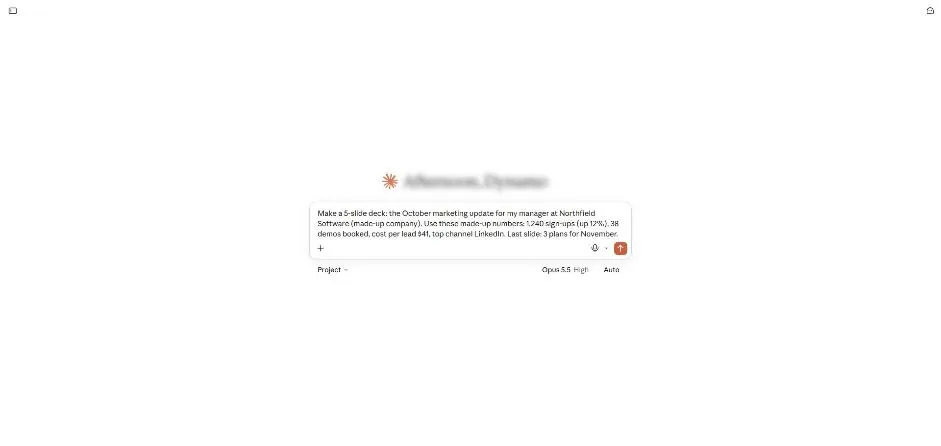
Send the request.
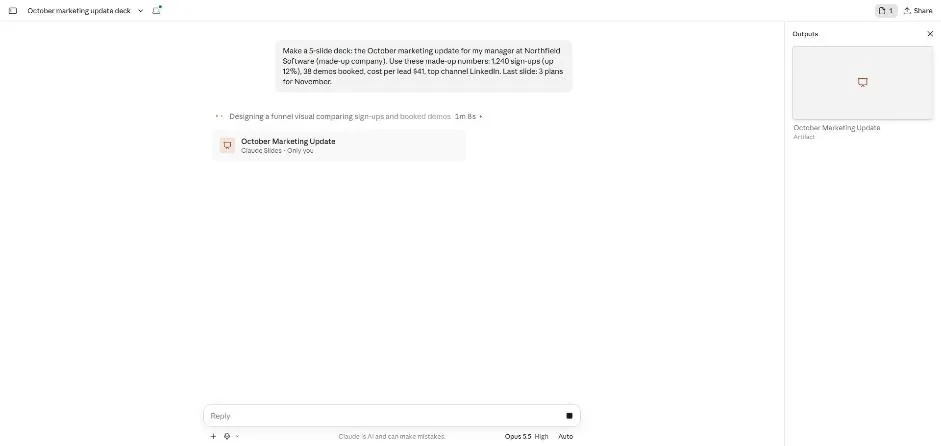
You see a slide deck card and a design progress note.
Wait about 2.5 minutes.
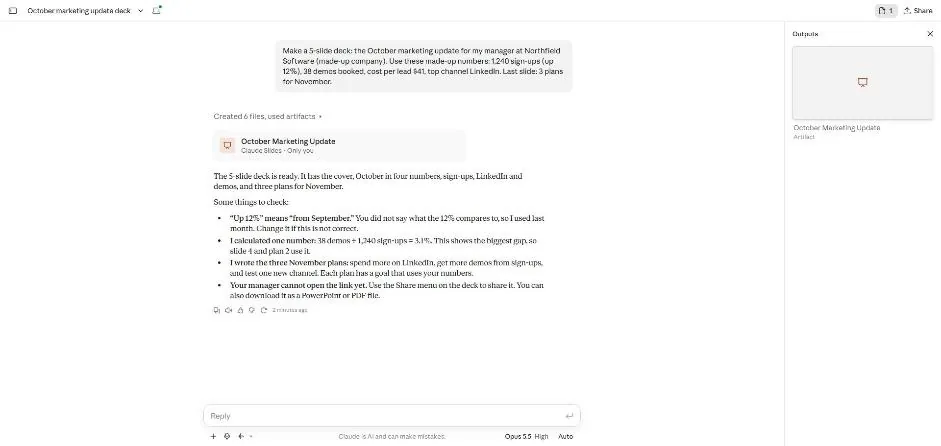
You see the ready deck card and a list of things to check.
Click the slide deck card.
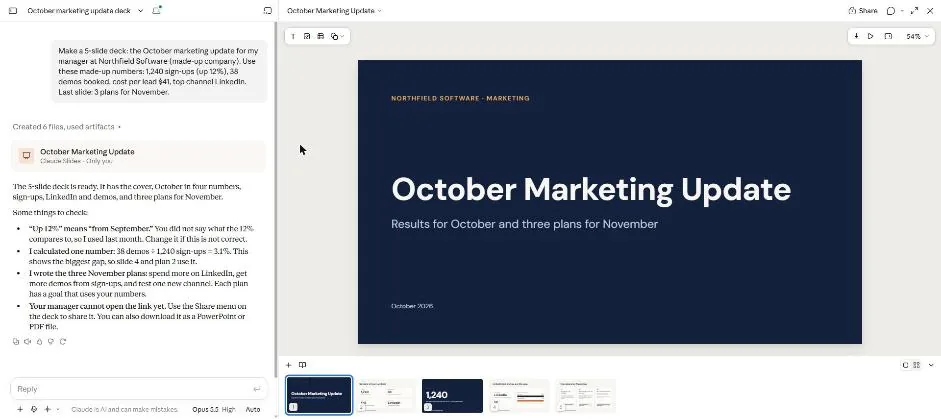
You see the deck cover and five slide thumbnails.
Click slide 5.
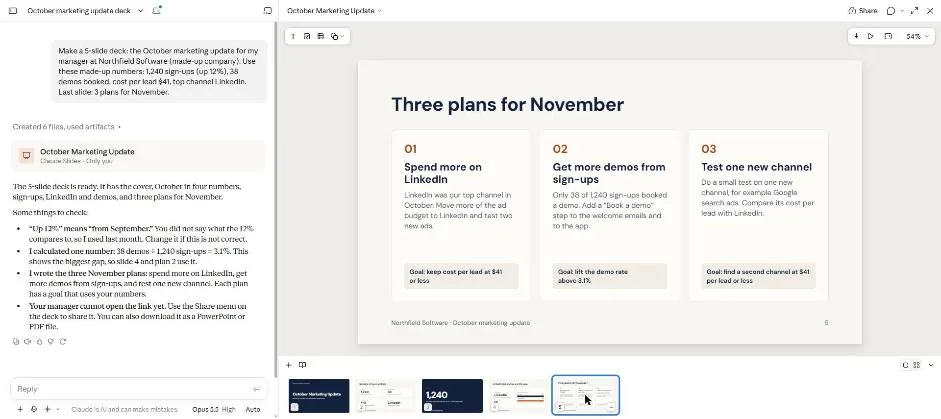
You see slide 5 with three plans for November.
Double-click the heading in slide 5.
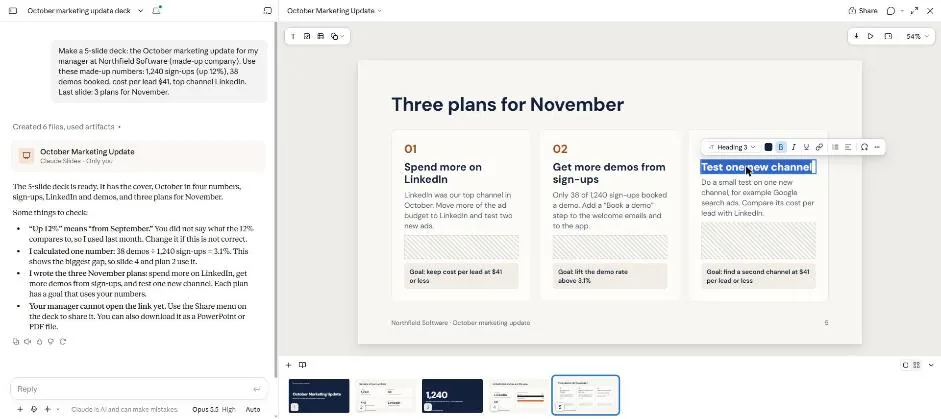
You see the selected heading and a text editing toolbar.
Type the new heading and click outside the text box.
Run a customer webinar
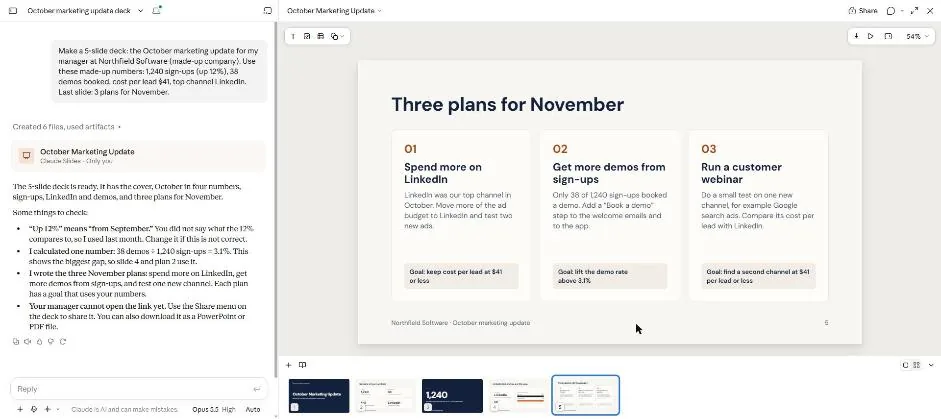
You see the new heading on the slide.
Click slide 2.
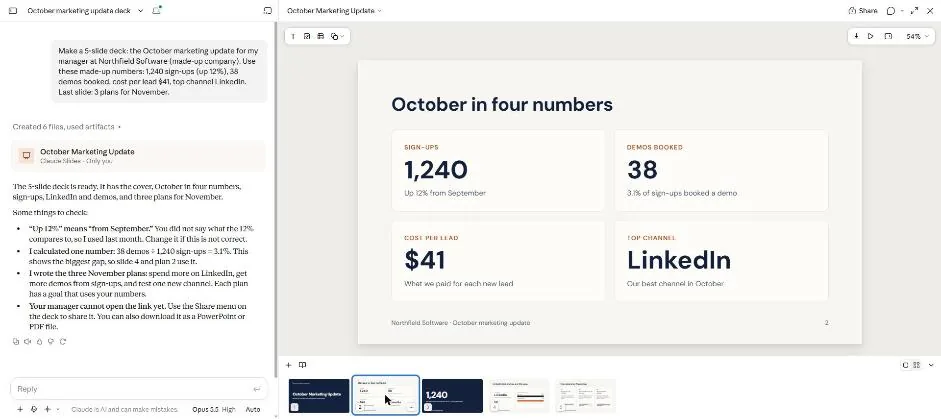
You see the four test figures on slide 2.
Click a picture to see it full size.