
Sonnet and Haiku models in Claude
Your plan
We haven't checked whether Sonnet and Haiku models is in Claude Free.
We haven't checked whether Sonnet and Haiku models is in Claude Pro.
We haven't checked whether Sonnet and Haiku models is in Claude Max 5x.
We haven't checked whether Sonnet and Haiku models is in Claude Max 20x.
We haven't checked whether Sonnet and Haiku models is in Claude Team Standard.
We haven't checked whether Sonnet and Haiku models is in Claude Team Premium.
We haven't checked whether Sonnet and Haiku models is in Claude Enterprise.
Tell us your plan to see the answer for it.
In each plan
We haven't checked which plans include this yet.
Show every plan
For you
| Free | Not checked yet* |
|---|---|
| Pro | Not checked yet* |
| Max 5x | Not checked yet* |
| Max 20x | Not checked yet* |
For teams, companies and schools
| Team Standard | Not checked yet* |
|---|---|
| Team Premium | Not checked yet* |
| Enterprise | Not checked yet* |
Step by step
Open a new chat.

Click the model name below the message box.
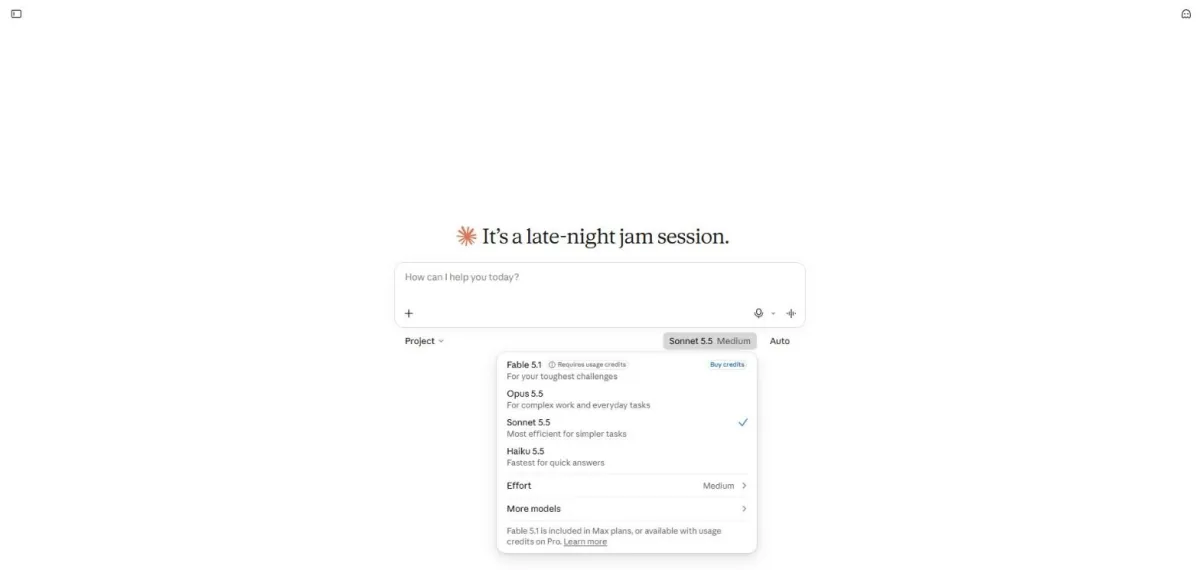
You see the model menu with Sonnet selected.
Close the menu and type the meeting reply request.
A client asked to move our meeting to next week. Write a short, polite reply that agrees and asks which day works for them. Sign it with [Your name].

Send the request.

You see a short meeting reply and a question about its tone.
Click the model name at the bottom right of the chat.
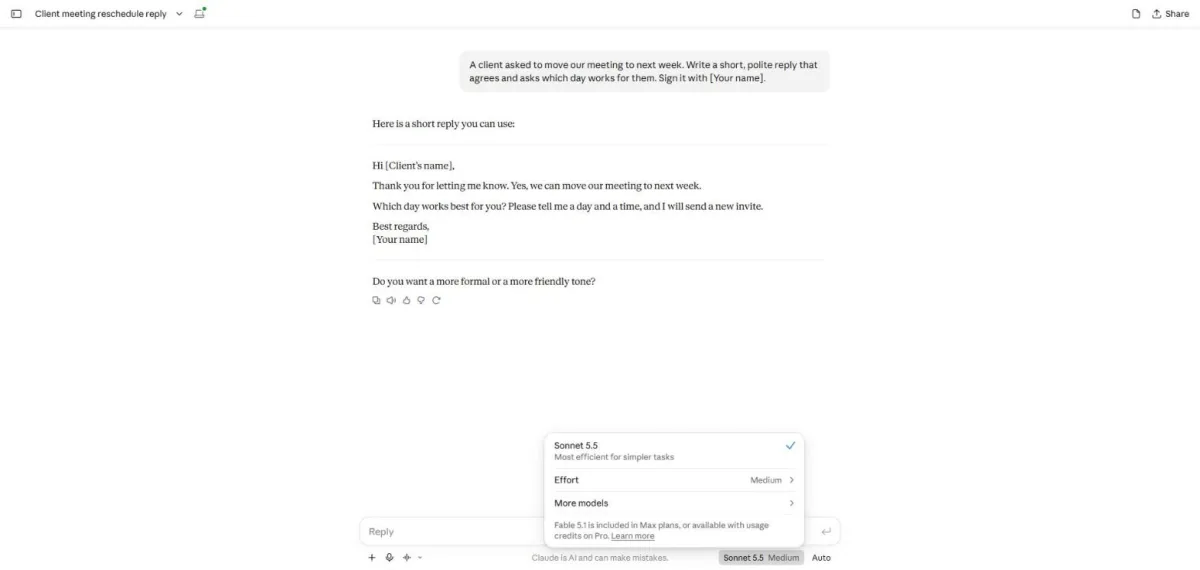
You see Sonnet selected, Effort and More models.
Click More models.
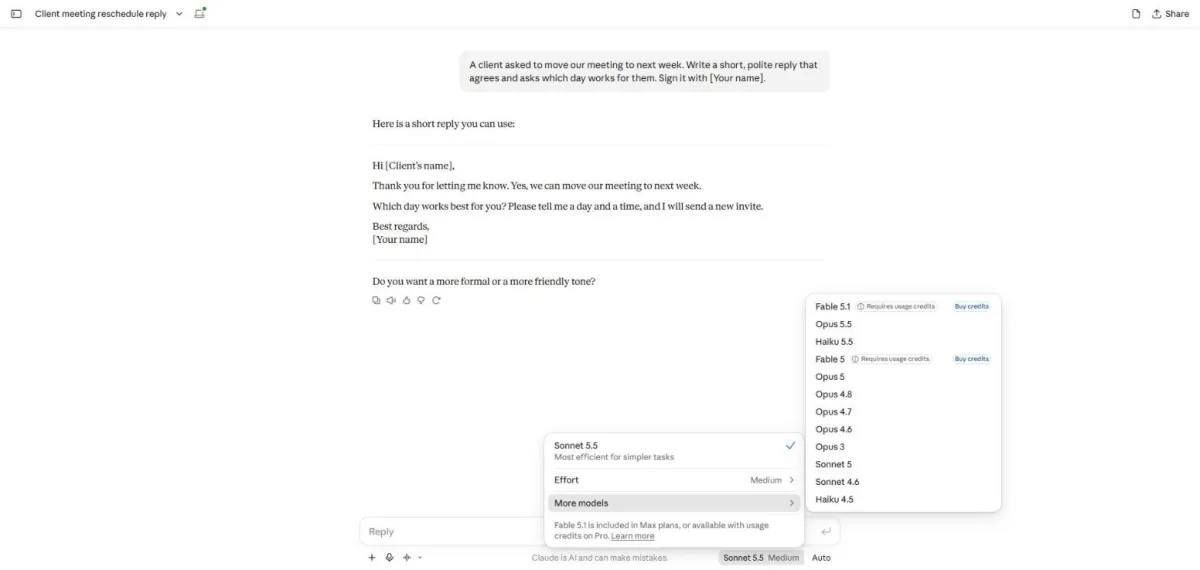
You see the additional models, including Haiku.
Select Haiku 5.5 and type the same request.
A client asked to move our meeting to next week. Write a short, polite reply that agrees and asks which day works for them. Sign it with [Your name].

Send the request.
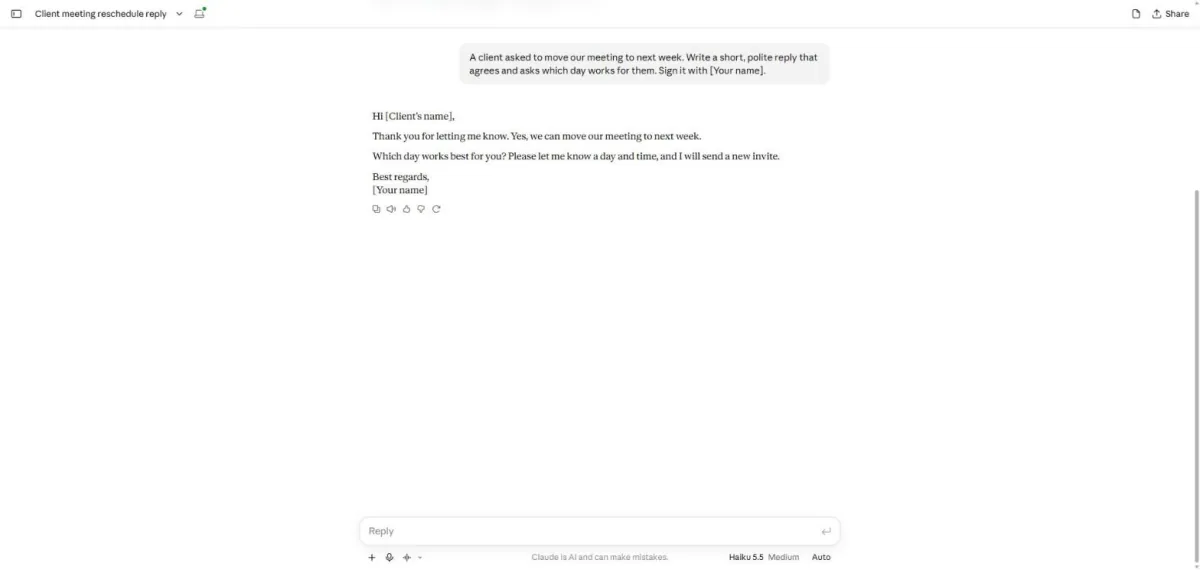
You see a short meeting reply with no follow-up question.
Click a picture to see it full size.