
Projects in ChatGPT
Your plan
We haven't checked whether Projects is in ChatGPT Free.
We haven't checked whether Projects is in ChatGPT Go.
We haven't checked whether Projects is in ChatGPT Plus.
We haven't checked whether Projects is in ChatGPT Pro 100.
We haven't checked whether Projects is in ChatGPT Pro 200.
We haven't checked whether Projects is in ChatGPT Pro 500.
We haven't checked whether Projects is in ChatGPT Business Standard.
We haven't checked whether Projects is in ChatGPT Business Premium.
We haven't checked whether Projects is in ChatGPT Enterprise.
We haven't checked whether Projects is in ChatGPT Edu.
Tell us your plan to see the answer for it.
In each plan
We haven't checked which plans include this yet.
Step by step
Open Projects.

Create a project named Q4 client report.
Q4 client report
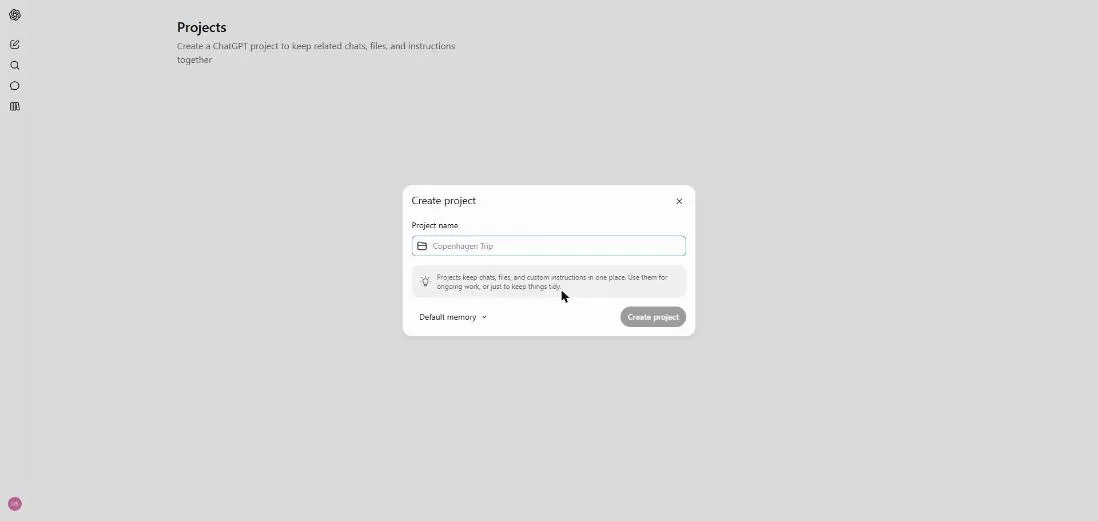
You see the Create project box.
Open the project page.
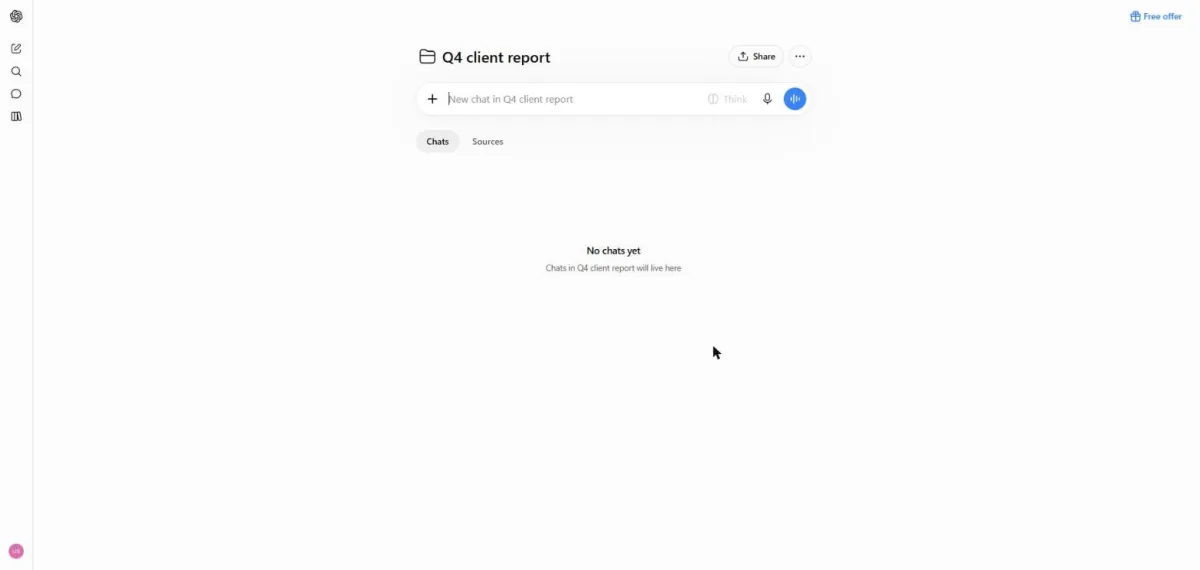
You see the project page with Chats and Sources tabs.
Open the project menu, then Project settings.
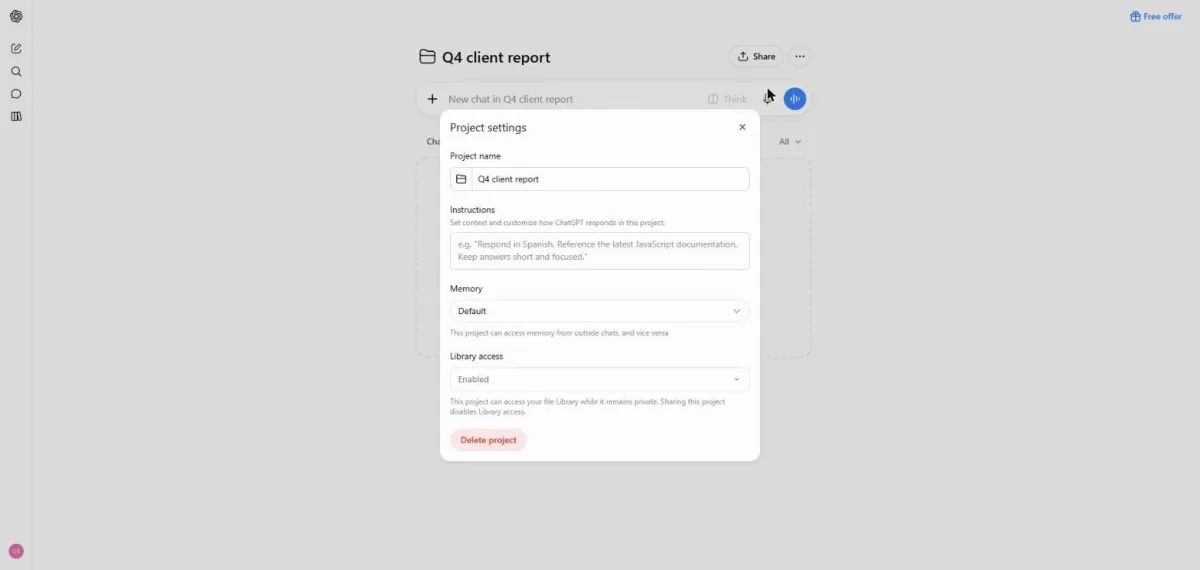
You see Project settings with instructions, memory and Library access.
Type the rule to use the company facts file and keep answers short.
Answer using the company facts file. Keep answers short.
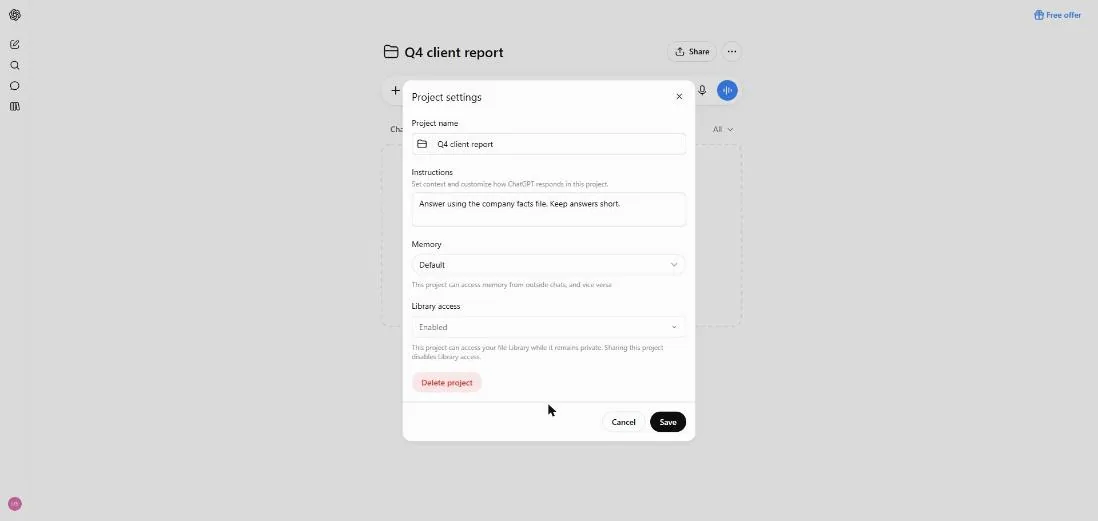
Add the test company facts file on the Sources tab.
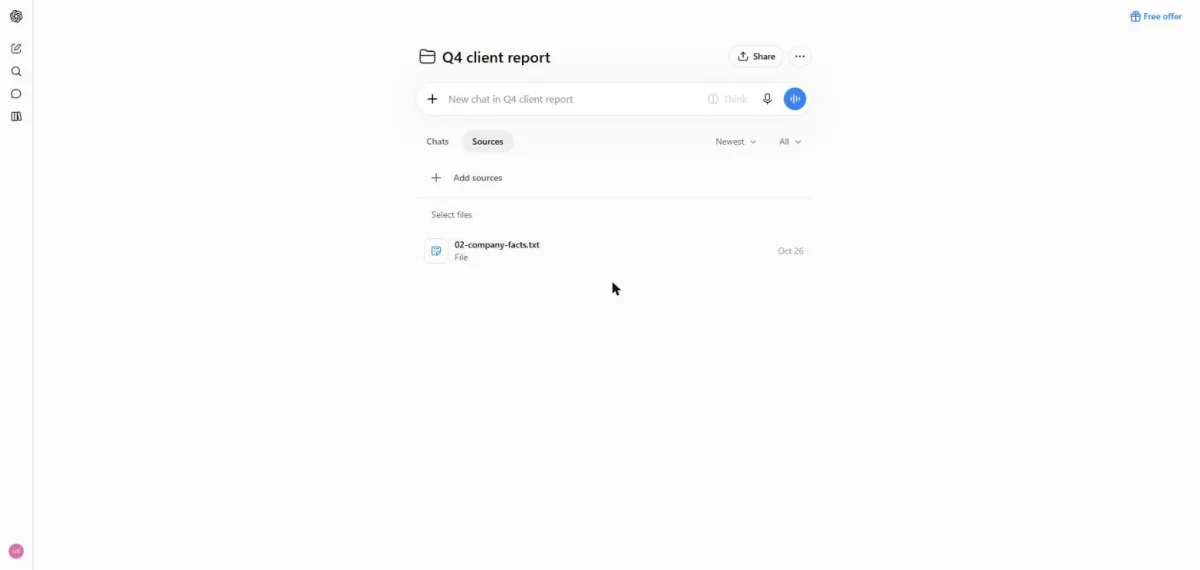
You see the test facts file on the Sources tab.
Ask the test question about who approves invoices.
Who signs off invoices over $5,000?
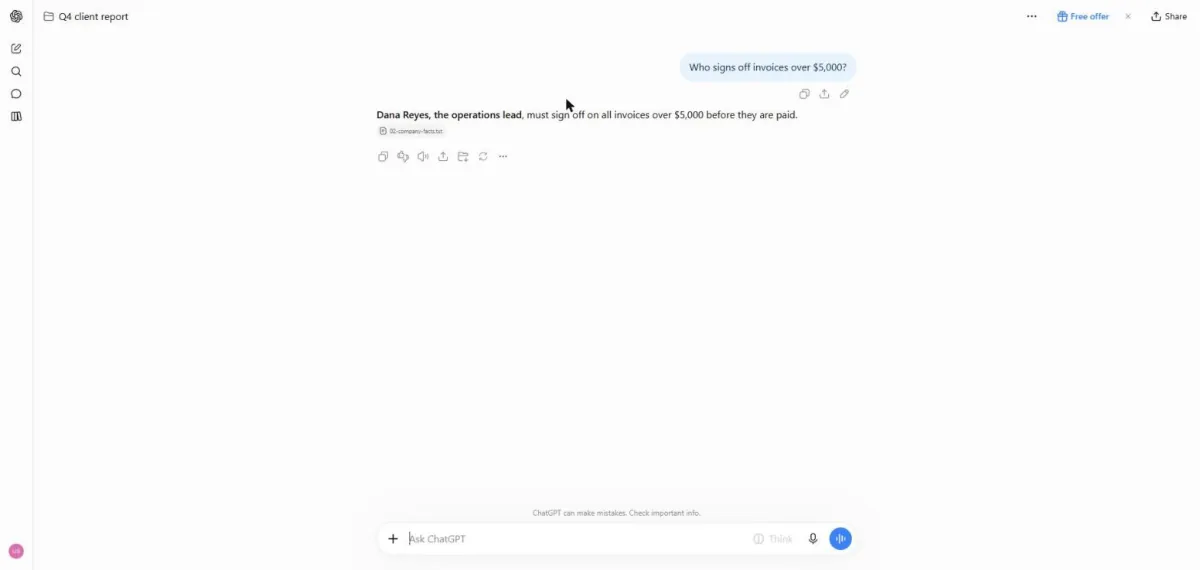
You see an invoice approval answer citing the test file.
Click a picture to see it full size.