
Characteristics in ChatGPT
Your plan
We haven't checked whether Characteristics is in ChatGPT Free.
We haven't checked whether Characteristics is in ChatGPT Go.
We haven't checked whether Characteristics is in ChatGPT Plus.
We haven't checked whether Characteristics is in ChatGPT Pro 100.
We haven't checked whether Characteristics is in ChatGPT Pro 200.
We haven't checked whether Characteristics is in ChatGPT Pro 500.
We haven't checked whether Characteristics is in ChatGPT Business Standard.
We haven't checked whether Characteristics is in ChatGPT Business Premium.
We haven't checked whether Characteristics is in ChatGPT Enterprise.
We haven't checked whether Characteristics is in ChatGPT Edu.
Tell us your plan to see the answer for it.
In each plan
We haven't checked which plans include this yet.
Step by step
Open Settings, then Personalization, and scroll below Reference photos.
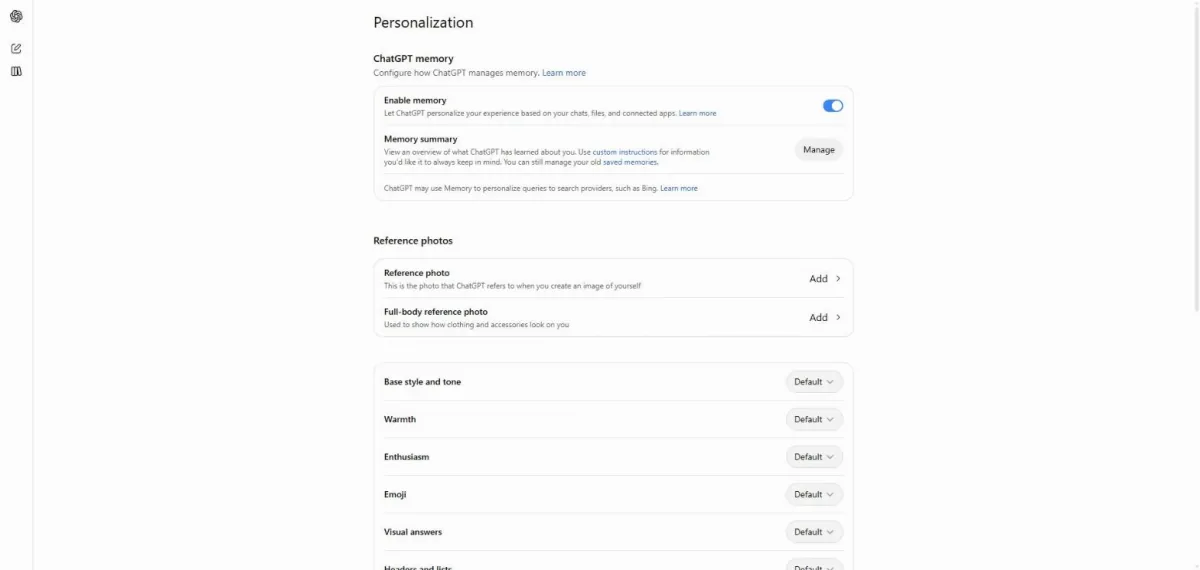
Click Emoji.
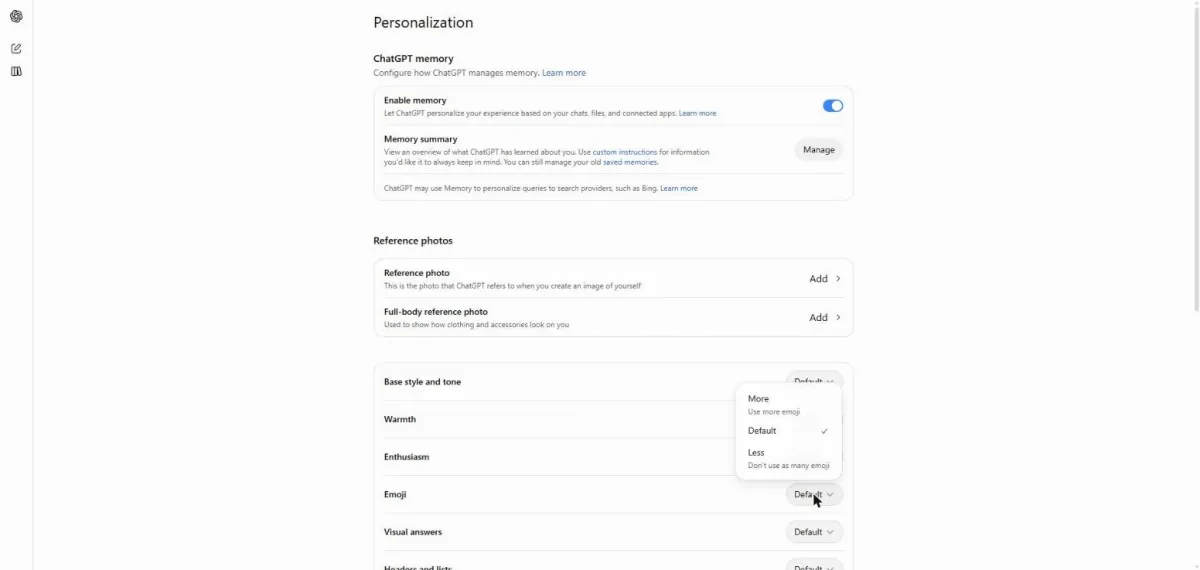
You see More, Default and Less, with Default selected.
Start a new chat and send the test question with Emoji on Default.
I just finished my first week at a new job. Any tips for week two?
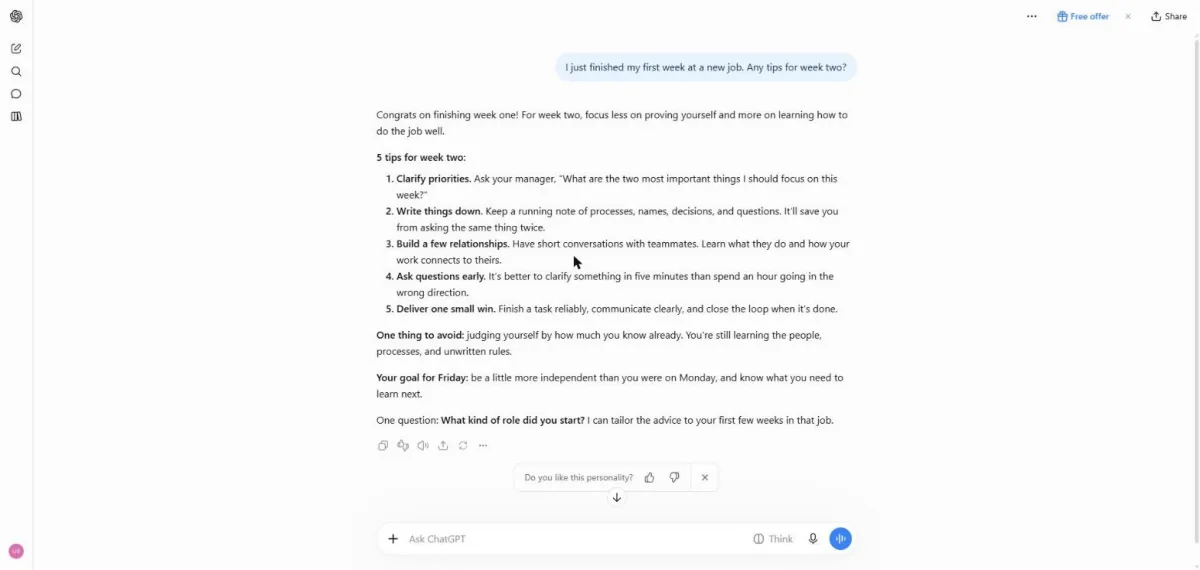
You see five work tips without emoji.
Return to Personalization and set Emoji to More.
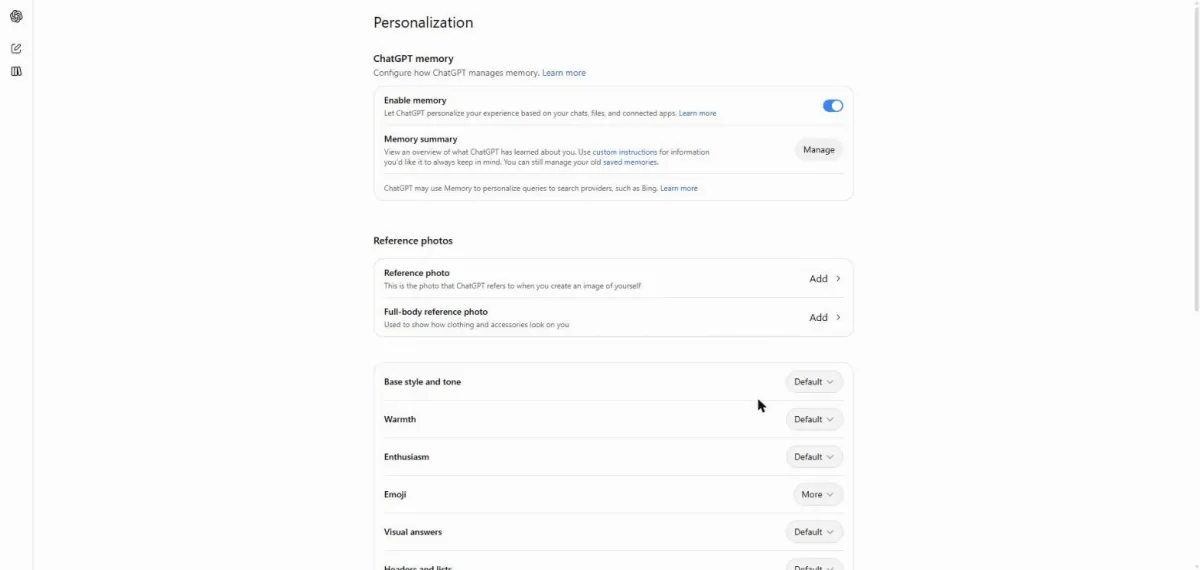
You see Emoji set to More.
Start a new chat and send the same question.
I just finished my first week at a new job. Any tips for week two?
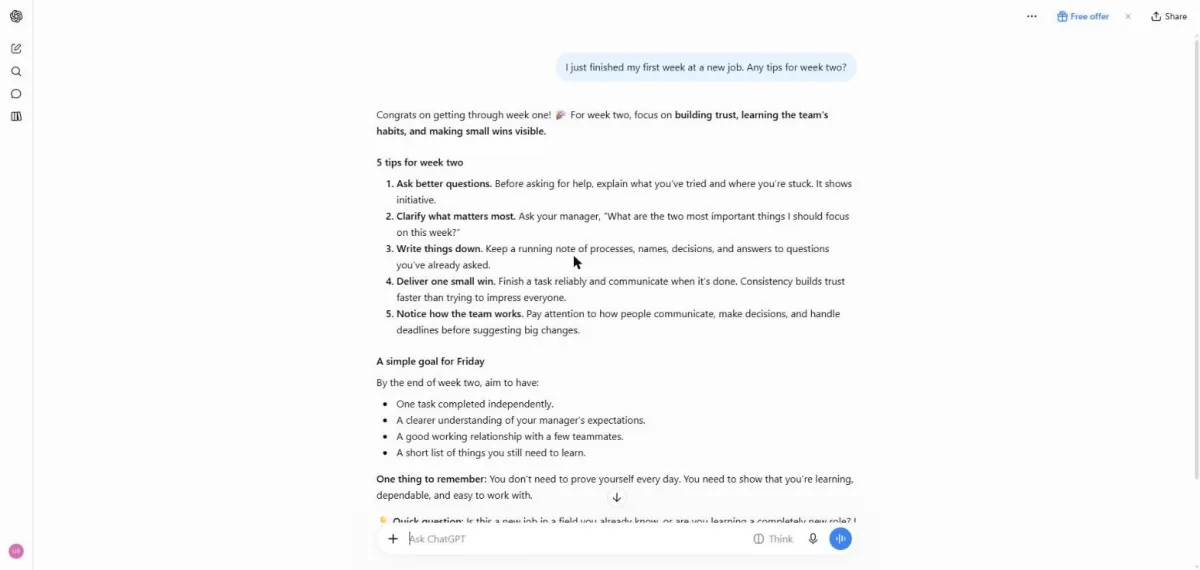
You see emoji in the answer to the same question.
Click a picture to see it full size.