
Privacy Center in ChatGPT
Which ChatGPT plans have Privacy Center?
Business Standard and Business Premium: Yes. Free, Go, Plus, Pro 100, Pro 200, Pro 500, Enterprise and Edu: Not checked yet*.
Your plan
We haven't checked whether Privacy Center is in ChatGPT Free.
We haven't checked whether Privacy Center is in ChatGPT Go.
We haven't checked whether Privacy Center is in ChatGPT Plus.
We haven't checked whether Privacy Center is in ChatGPT Pro 100.
We haven't checked whether Privacy Center is in ChatGPT Pro 200.
We haven't checked whether Privacy Center is in ChatGPT Pro 500.
Yes. ChatGPT Business Standard has Privacy Center.
Yes. ChatGPT Business Premium has Privacy Center.
We haven't checked whether Privacy Center is in ChatGPT Enterprise.
We haven't checked whether Privacy Center is in ChatGPT Edu.
Tell us your plan to see the answer for it.
In each plan
Source for the checked plans: ChatGPT Business release notes, checked on 20 Oct 2026
Step by step
Open the account menu, then Help.
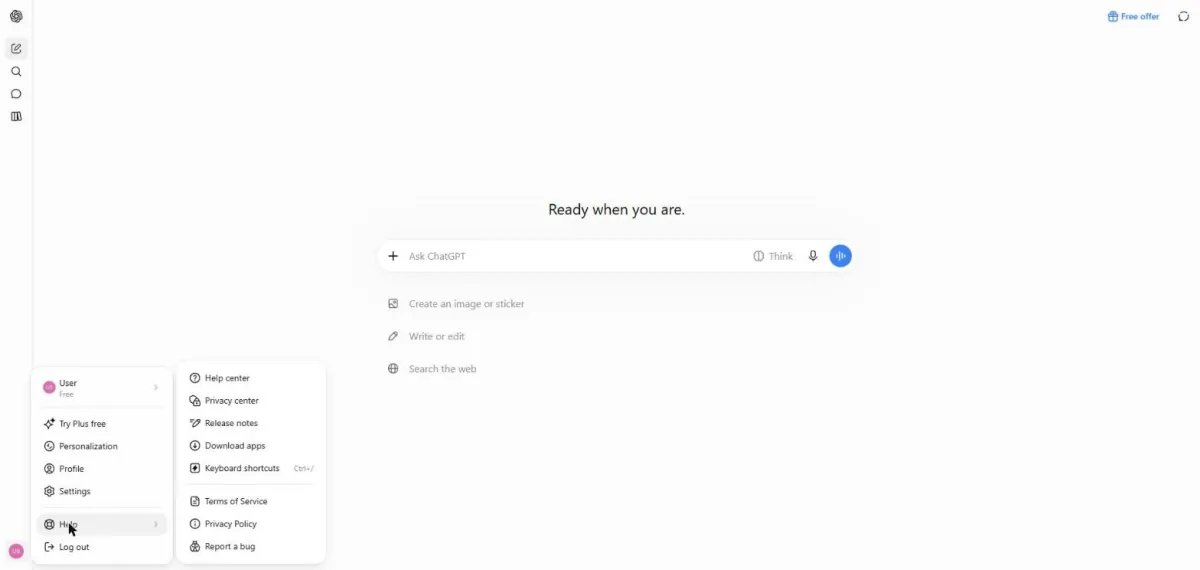
You see the Help menu with Privacy center and other support links.
Click Privacy center.
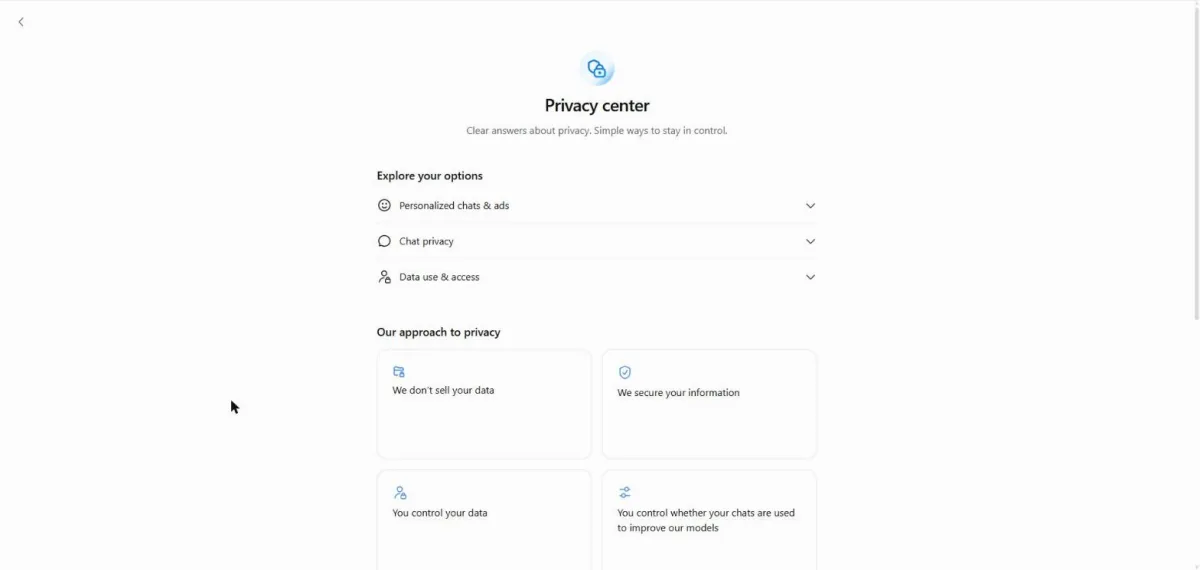
You see the Privacy center options.
Click Chat privacy.
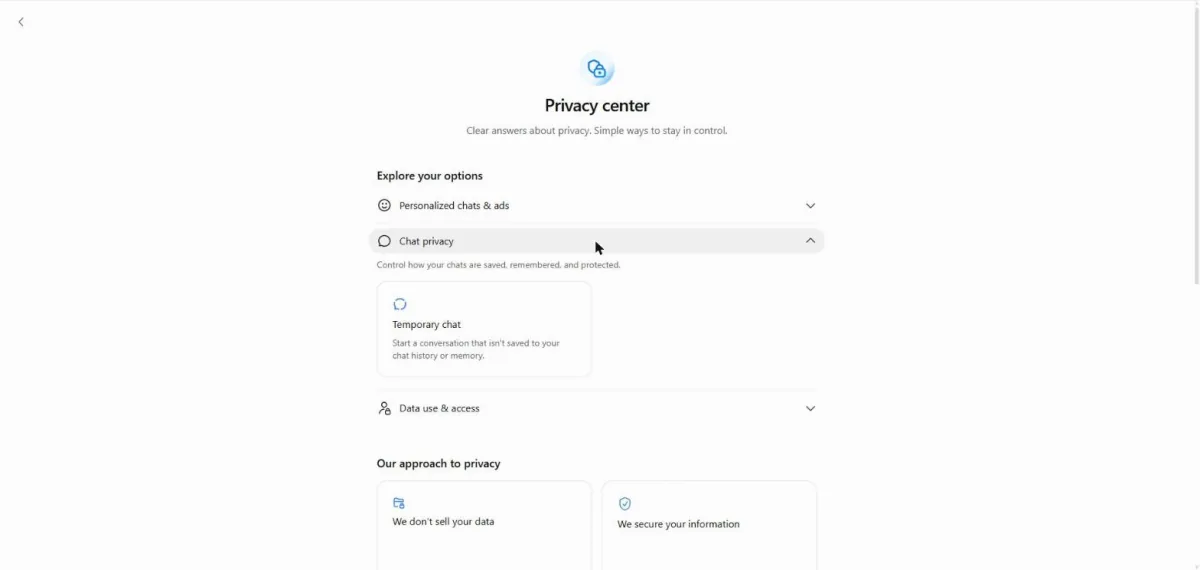
You see the Temporary chat card under Chat privacy.
Click Data use & access.
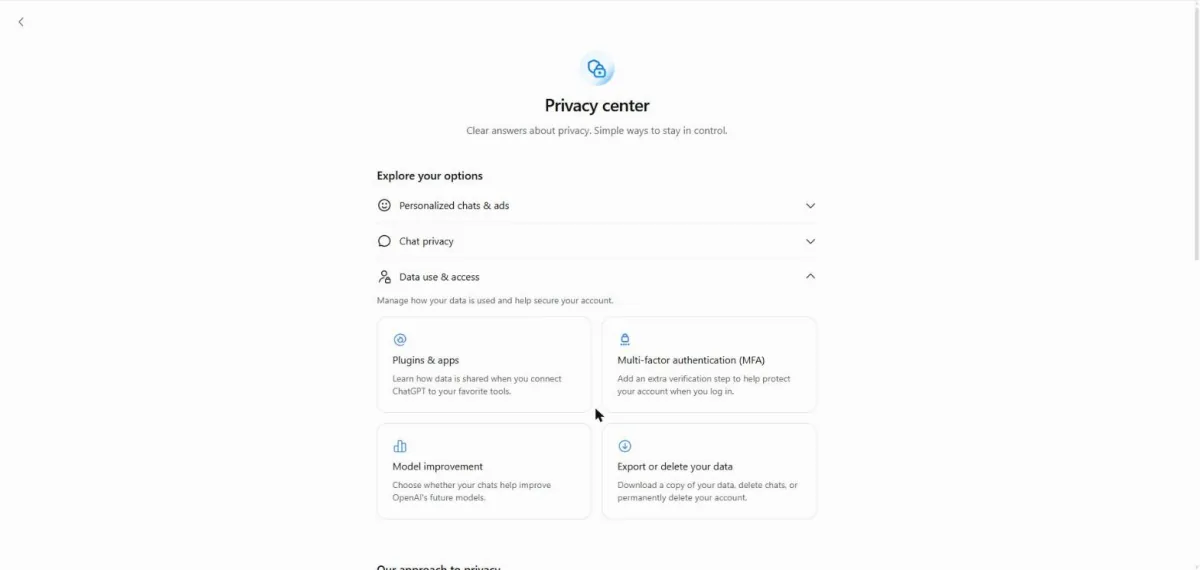
You see cards for apps, sign-in checks, model improvement and data access.
Click a picture to see it full size.