
Saved memories in ChatGPT
Your plan
We haven't checked whether Saved memories is in ChatGPT Free.
We haven't checked whether Saved memories is in ChatGPT Go.
We haven't checked whether Saved memories is in ChatGPT Plus.
We haven't checked whether Saved memories is in ChatGPT Pro 100.
We haven't checked whether Saved memories is in ChatGPT Pro 200.
We haven't checked whether Saved memories is in ChatGPT Pro 500.
We haven't checked whether Saved memories is in ChatGPT Business Standard.
We haven't checked whether Saved memories is in ChatGPT Business Premium.
We haven't checked whether Saved memories is in ChatGPT Enterprise.
We haven't checked whether Saved memories is in ChatGPT Edu.
Tell us your plan to see the answer for it.
In each plan
We haven't checked which plans include this yet.
Step by step
Open Settings, then Personalization.
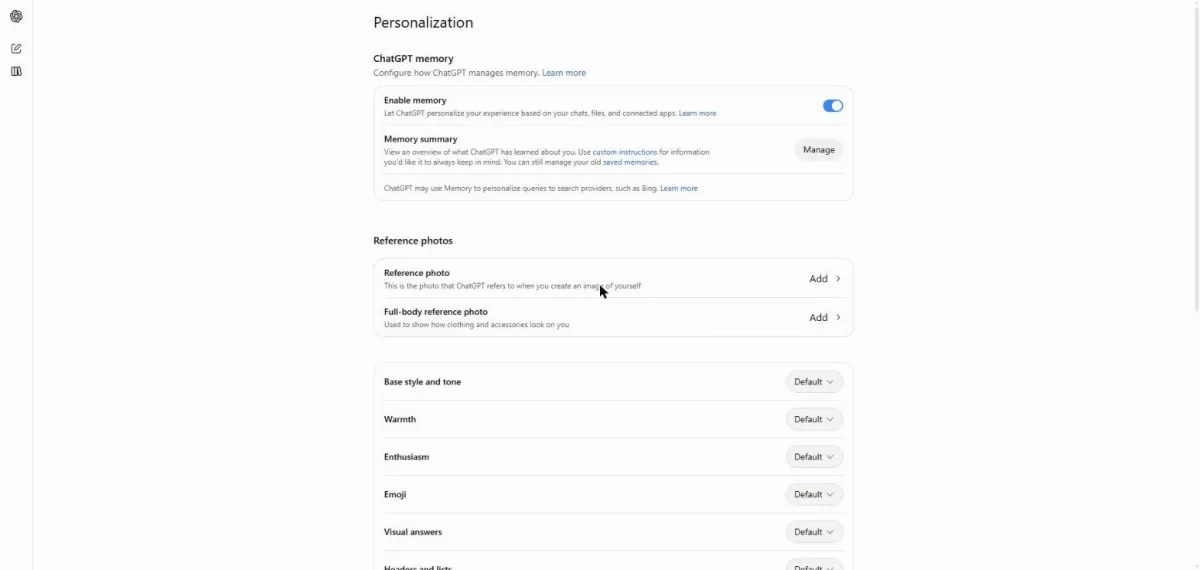
Click the saved memories link.
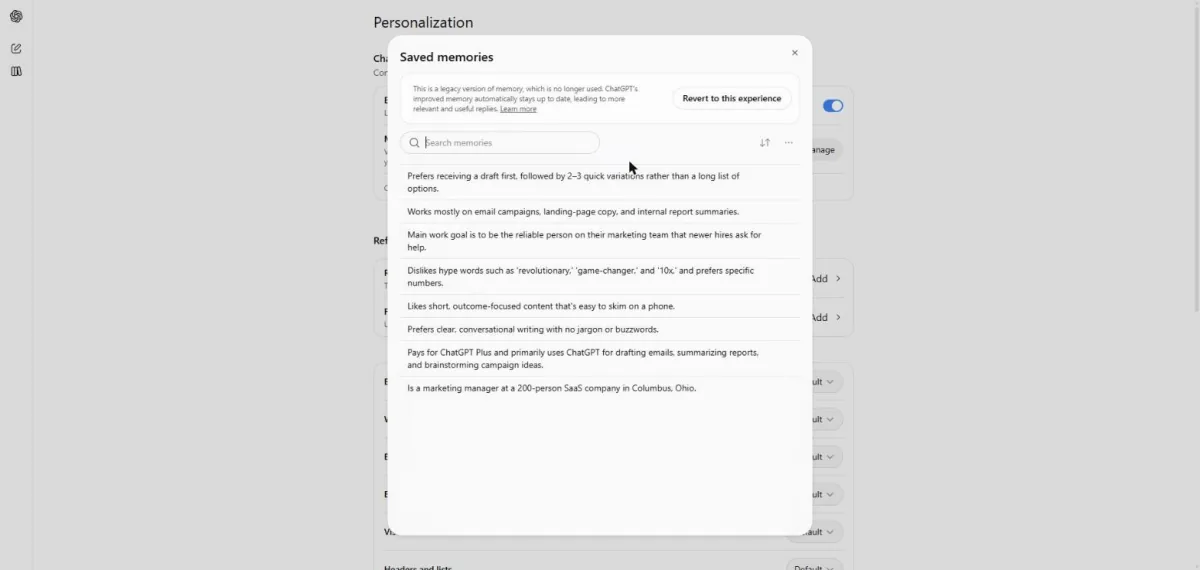
You see the legacy Saved memories box and its warning.
Start a new chat and send the test memory request.
Please remember this: I like short answers and I'm vegetarian.
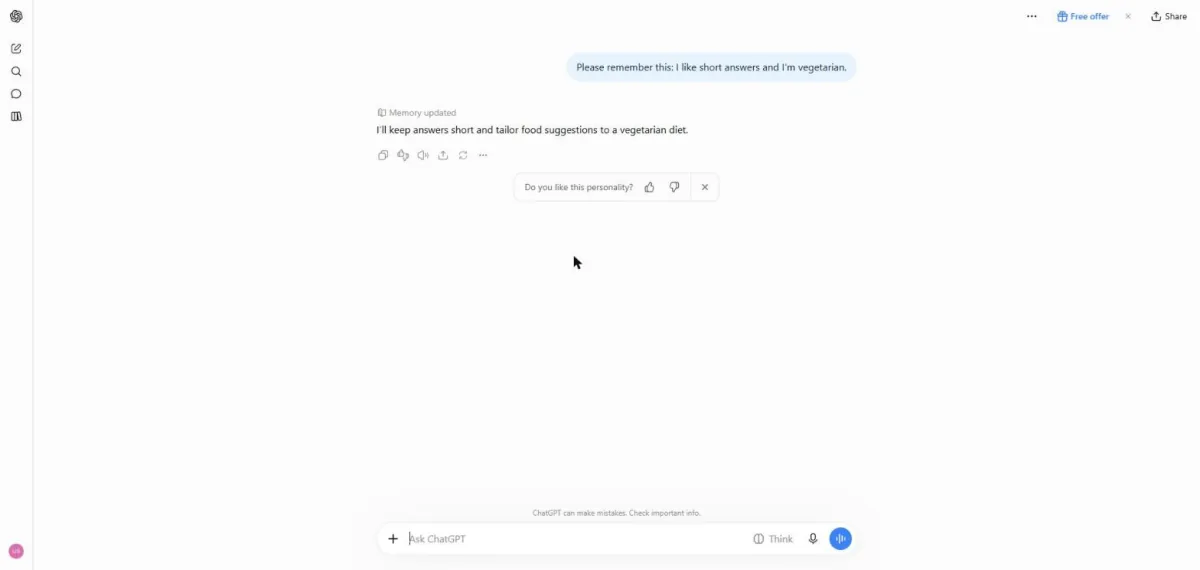
You see a Memory updated note and a reply about your preferences.
Start a new chat and ask for a dinner idea.
Give me a dinner idea for tonight.
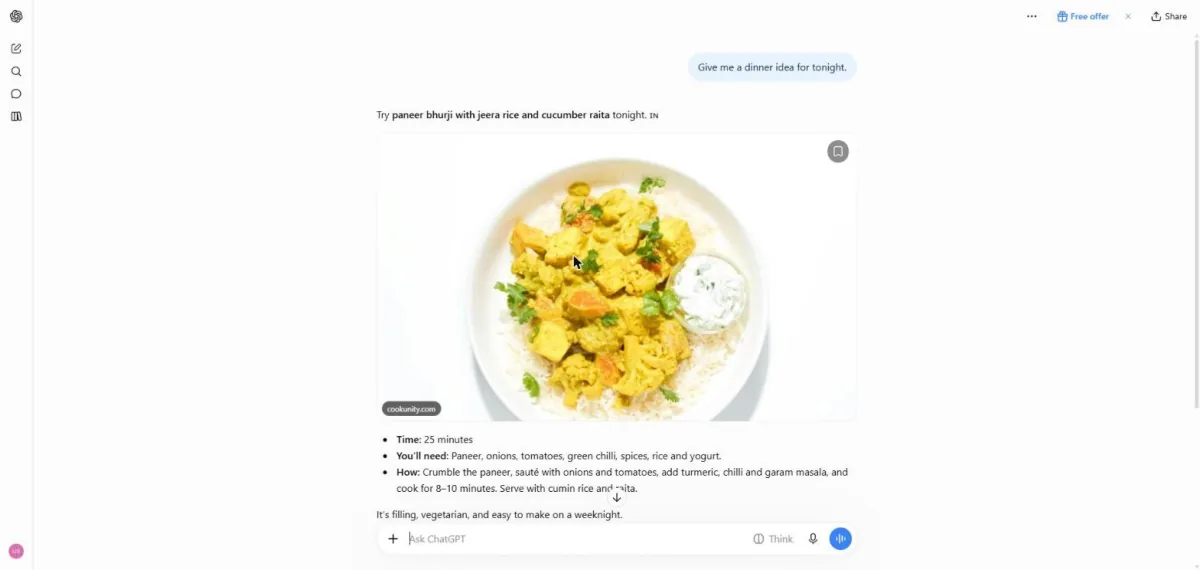
You see a vegetarian dinner idea with a photo and cooking steps.
Scroll below the answer.
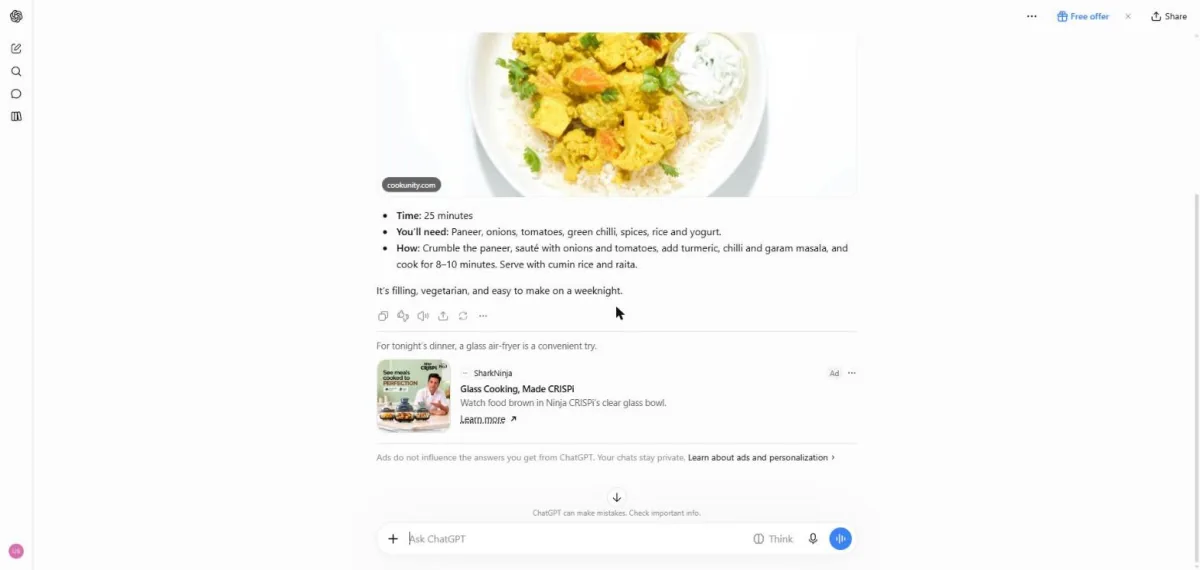
You see an ad below the answer and a note that ads do not influence answers.
Click a picture to see it full size.