
Think button in ChatGPT
Your plan
We haven't checked whether Think button is in ChatGPT Free.
We haven't checked whether Think button is in ChatGPT Go.
We haven't checked whether Think button is in ChatGPT Plus.
We haven't checked whether Think button is in ChatGPT Pro 100.
We haven't checked whether Think button is in ChatGPT Pro 200.
We haven't checked whether Think button is in ChatGPT Pro 500.
We haven't checked whether Think button is in ChatGPT Business Standard.
We haven't checked whether Think button is in ChatGPT Business Premium.
We haven't checked whether Think button is in ChatGPT Enterprise.
We haven't checked whether Think button is in ChatGPT Edu.
Tell us your plan to see the answer for it.
In each plan
We haven't checked which plans include this yet.
Step by step
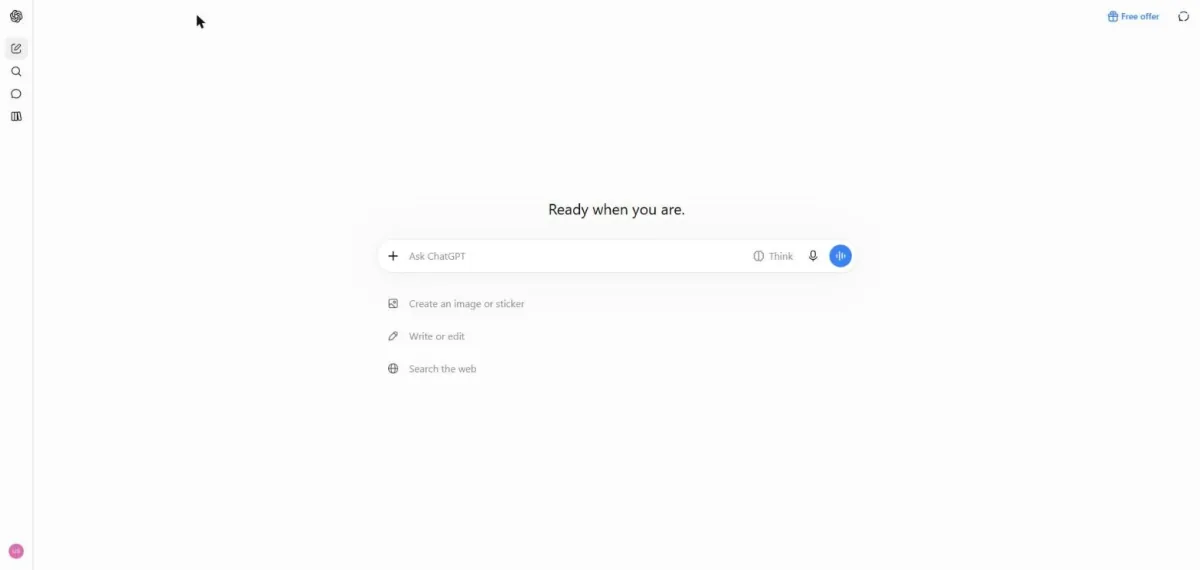
Open a new chat.
Type the word problem.
A train leaves a station at 3:00 pm going 60 km/h. A second train leaves the same station at 4:00 pm on the same track going 90 km/h. At what time does the second train catch the first, and how far from the station? Show short working.
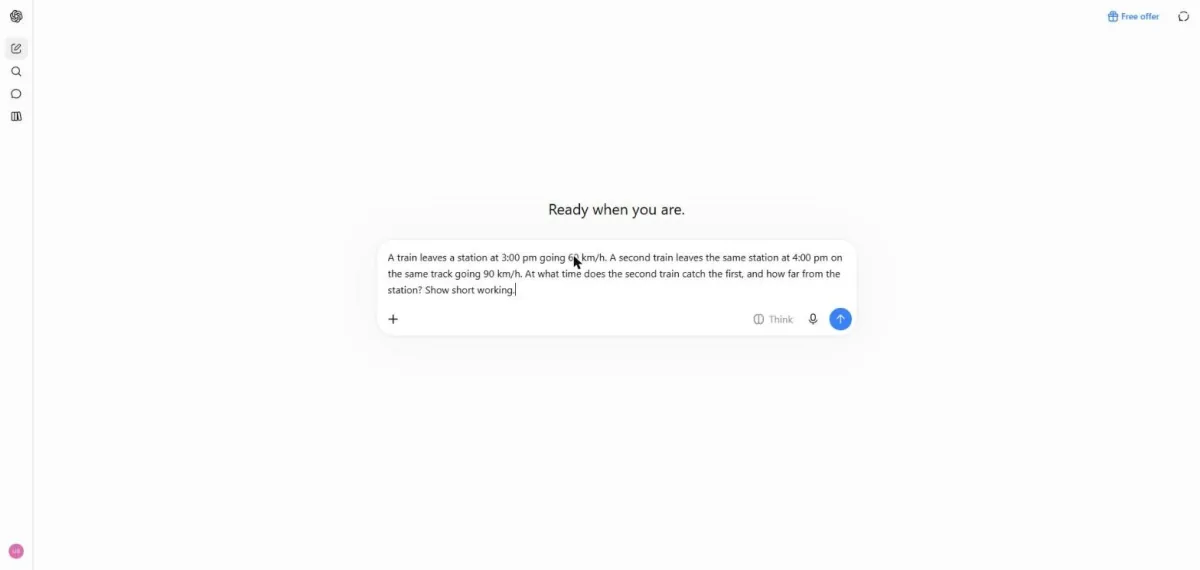
Send the problem.
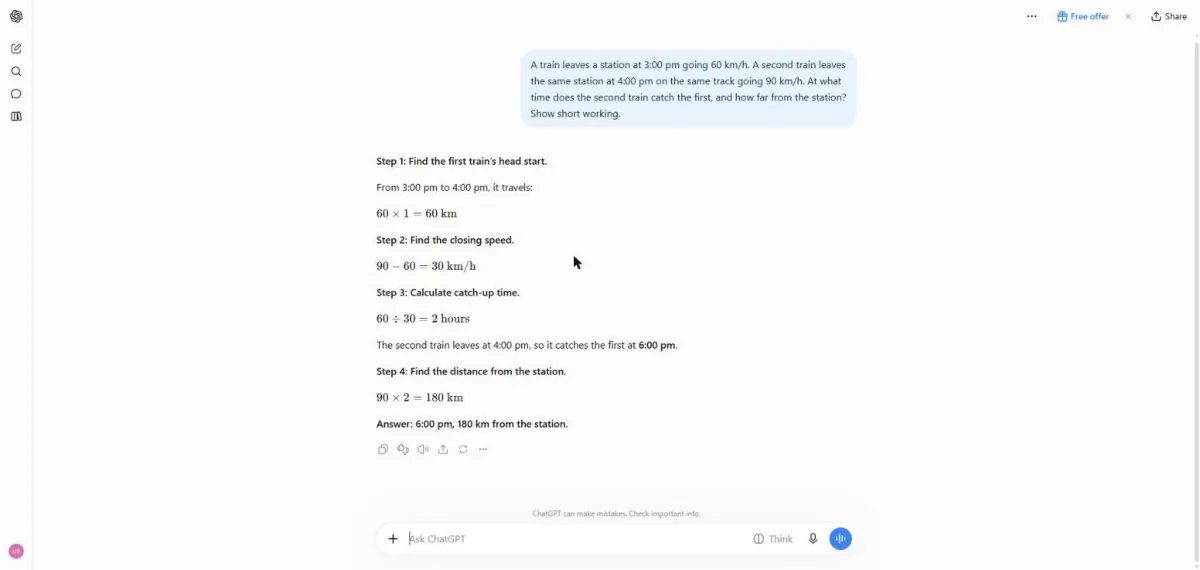
You see a four-step train problem answer.
Start a new chat, switch on Think and send the same problem.
A train leaves a station at 3:00 pm going 60 km/h. A second train leaves the same station at 4:00 pm on the same track going 90 km/h. At what time does the second train catch the first, and how far from the station? Show short working.
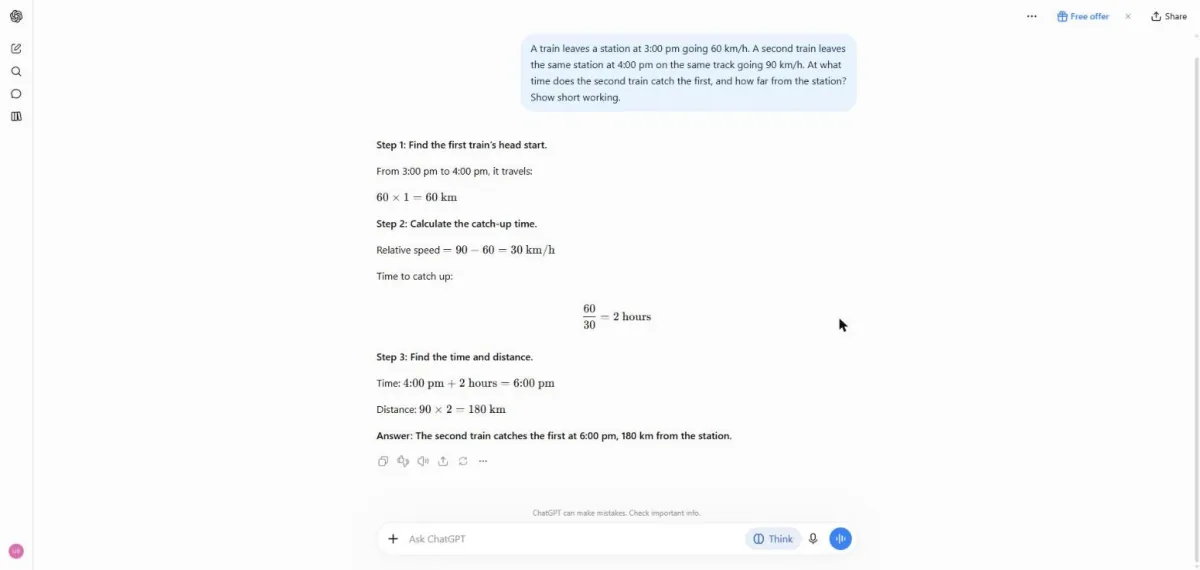
You see a three-step answer with the Think button switched on.
Click a picture to see it full size.